Social media is slowly taking over our real lives.Your memories, your creativity, your connection are all starting to feel like they belong to an online world. But the more time you spend there the more risk you may face. Nobody got this message clearer than Kanye West when his account was hacked and ended up following a fake YZY TKN page. Some would have thought that was a prank, though it was much more serious than that.
Stars like Pink, Tom Hiddleston, and Kate Moss all had their profiles broken into by hackers and just had to sit back and watch as they’ d start posting all sorts of ads and weird content in their names. EvenEven Mark Zuckerberg wasn't immune when the notorious group Ourmine managed to invade his own page, claiming they were just “testing security”.
This reality hits home a crucial truth. No Instagram user is too small or too big to be vulnerable. Your personal photos, messages, and private data can get out and used against you if you make no precaution about that. That’s like leaving a front door open, isn’t it?
Good news, Instagram has great built-in features to keep your account safe. It only takes to activate them. And if that’s not enough, there are several more go-to strategies up your sleeve.
Understanding Instagram’s Data Policy
Signing up for Instagram feels ridiculously easy. You pick a username, upload a profile image, and you're good to go. But behind that simple facade lies a whole web of data that Instagram is constantly collecting as you scroll through.
The platform tracks everything from the selfies you post and the types of things you're interested in to your device details and even data from other apps that are connected to your account.
Again, this is how you get the personalized IG experience, but it also raises some pretty big questions about your right to privacy.
The data Instagram knows about you

Personal Info
When you sign up for Instagram, they want to know the basics like your name, email, phone number, and password. But that's just the tip of the iceberg. The platform digs deeper, collecting metadata about how and when you interact with the app, what device you use, your IP address, even where you're located. And if you've synced your phone contacts, that's info about your friends they're collecting too expanding its knowledge beyond just you.
In-app transactions are what the platform keeps an eye on either. This includes credit card numbers, billing addresses, shipping details, and all that jazz.
In-app activity
Everything you do on Instagram, every comment, like, and emoji, educates the algorithm. Engage with some travel posts and beach photos, and suddenly you're getting served up swimwear ads or vacation Reels left and right. Meta, Instagram's parent company, is monitoring all sorts of unique data per user to tailor ads so precisely that they can almost predict your next move.
The AI-powered language tech scans your messages and comments to figure out your tone and context. That means it can surface relevant content or moderate posts in real-time. Chat about working out in your DMs? Expect to see more fitness motivation showing up in your feed.
Cross platform circling
Instagram is part of the Meta family. Your data doesn't just stay on the platform, it gets shared across Facebook, WhatsApp, and Oculus too. So if you check out a brand on Facebook, you might start seeing their ads pop up all over Instagram.
And if you sign up for other services or use in-app plug-ins, your data can get exchanged too, which is why you're seeing those surprisingly relevant ads following you everywhere online.
You see, having a customized content experience comes with a price. Being aware of what data Instagram is collecting and sharing lets you take hold: adjust the settings, rethink your permissions, and stay alert of where your digital footprint is going.
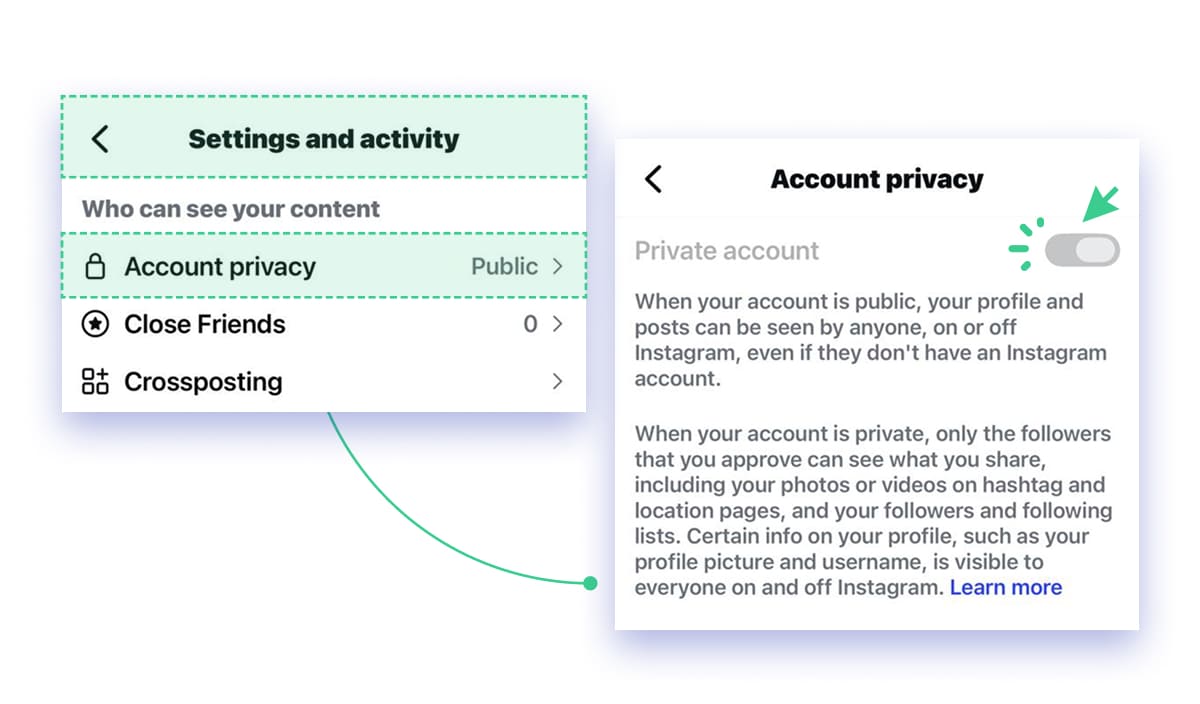
Switching to a Private Account
Going private on Instagram is a good way to focus on building a closer community. You get to decide who follows and views your content, reducing unwanted exposure. That helps you cultivate a more intimate and engaged audience, keeping your posts and Stories away from random strangers.
Still, it's not the solution for brands and creators. Running an account private pretty much cripples your ability to attract new followers and potential customers. Since the ultimate goal is to capitalize on Instagram's massive reach, it really hinders revenue opportunities.
Minimizing Data Tracking and Targeted Ads
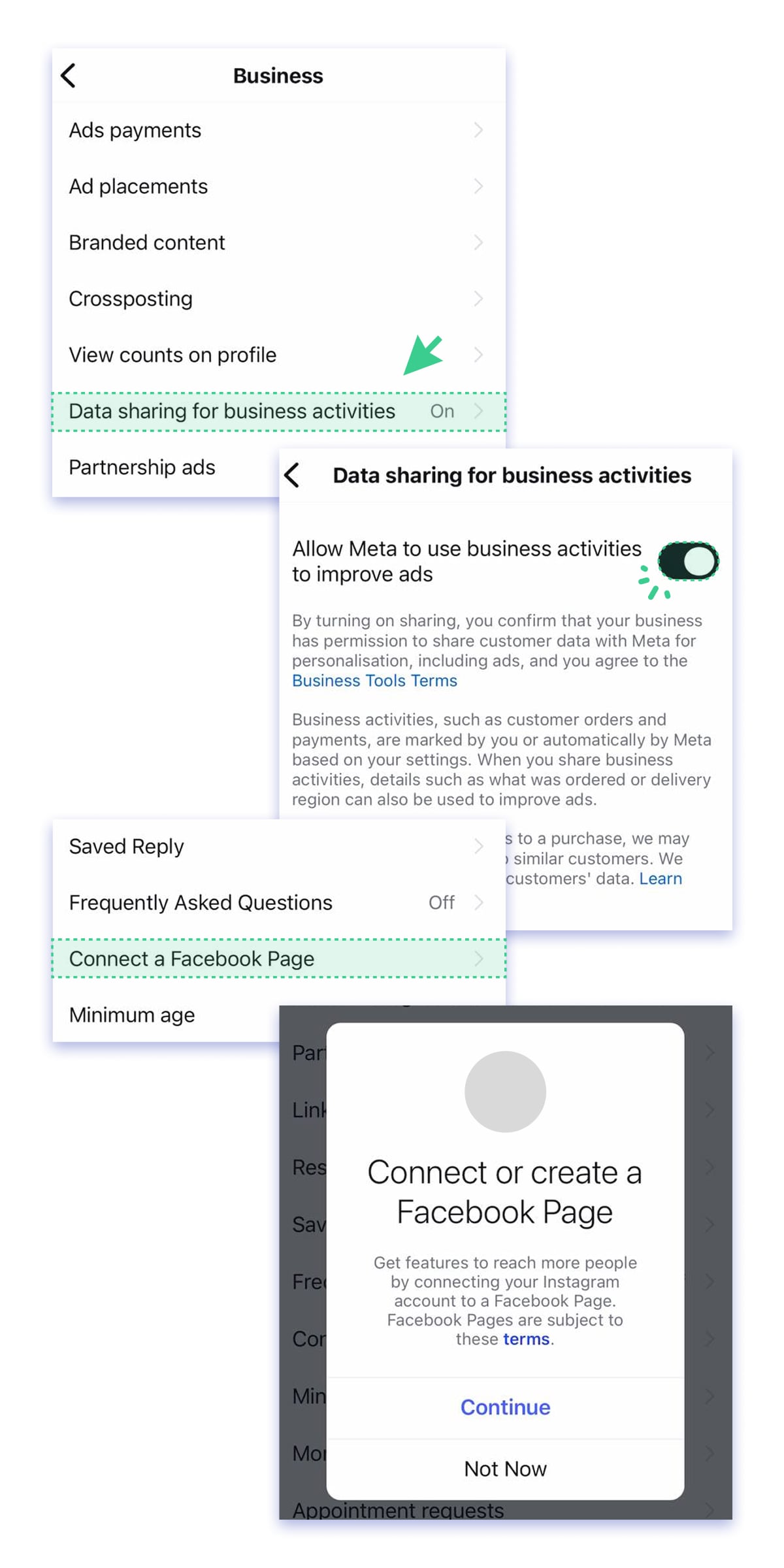
Instagram gives you some tools to deal with how your data is used for advertising. As a content creator, managing these settings is pretty critical not just for your own privacy, but also for insights into how your content is being served up and how ads are targeting your followers.
Head on over to the Business tools and controls section and find the Ads placements option. Review the interest categories in the Ad Placement permissions folder and opt out of any that are way off base for your brand or niche - that cuts down on all those ads that are off-topic.
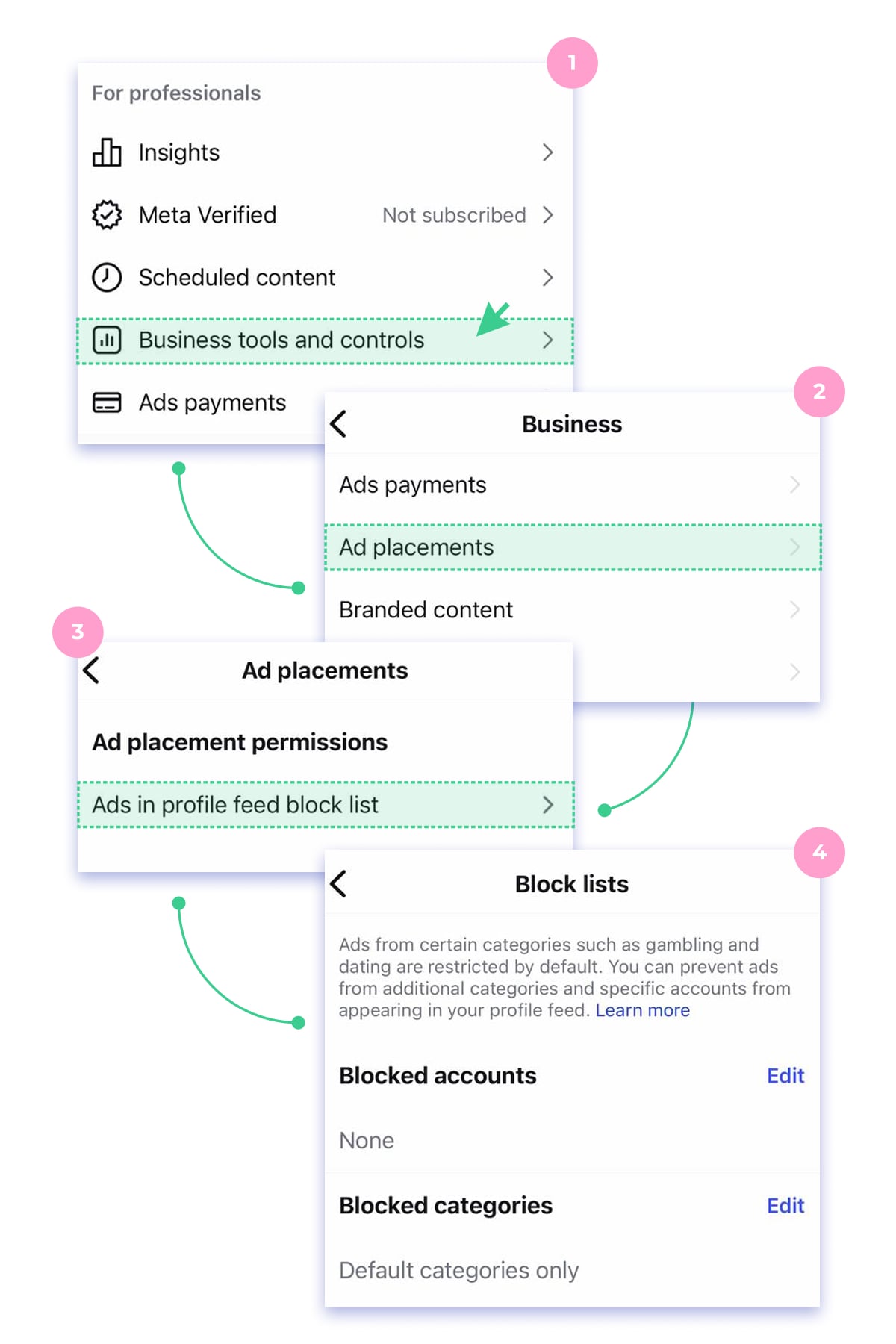
Stay there for a bit longer to disable data sharing between Instagram/Facebook and third-party apps. This reduces how much external apps can use your activity to influence ad targeting.
Best Practices to Stay Alert and Protect Your Public/Business Accounts
With cyber threats and hacking on the rise, protecting your Instagram account shifts from a nice-to-have precaution, to an essential one. A few smart security steps can save you from feature headaches.
Here are simple but effective strategies below.
Enhanced Security With 2FA (Two Factor Authentication)
Two-factor authorisation is a method of recognizing account owners accessing the account from various devices. This is a double confirmation performed by using two ‘keys’ one stored in the account’s memory and the other generated by the service. Beside the username and password when logging in, the system will also require you to enter a secret digital code from SMS, email, or push notification.
This extra step ensures that even if someone steals your password, it isn’t possible to get in without the second key. It may be a bothersome thing to type in these codes every time you open the app, still business accounts or pages with big following may find it useful.
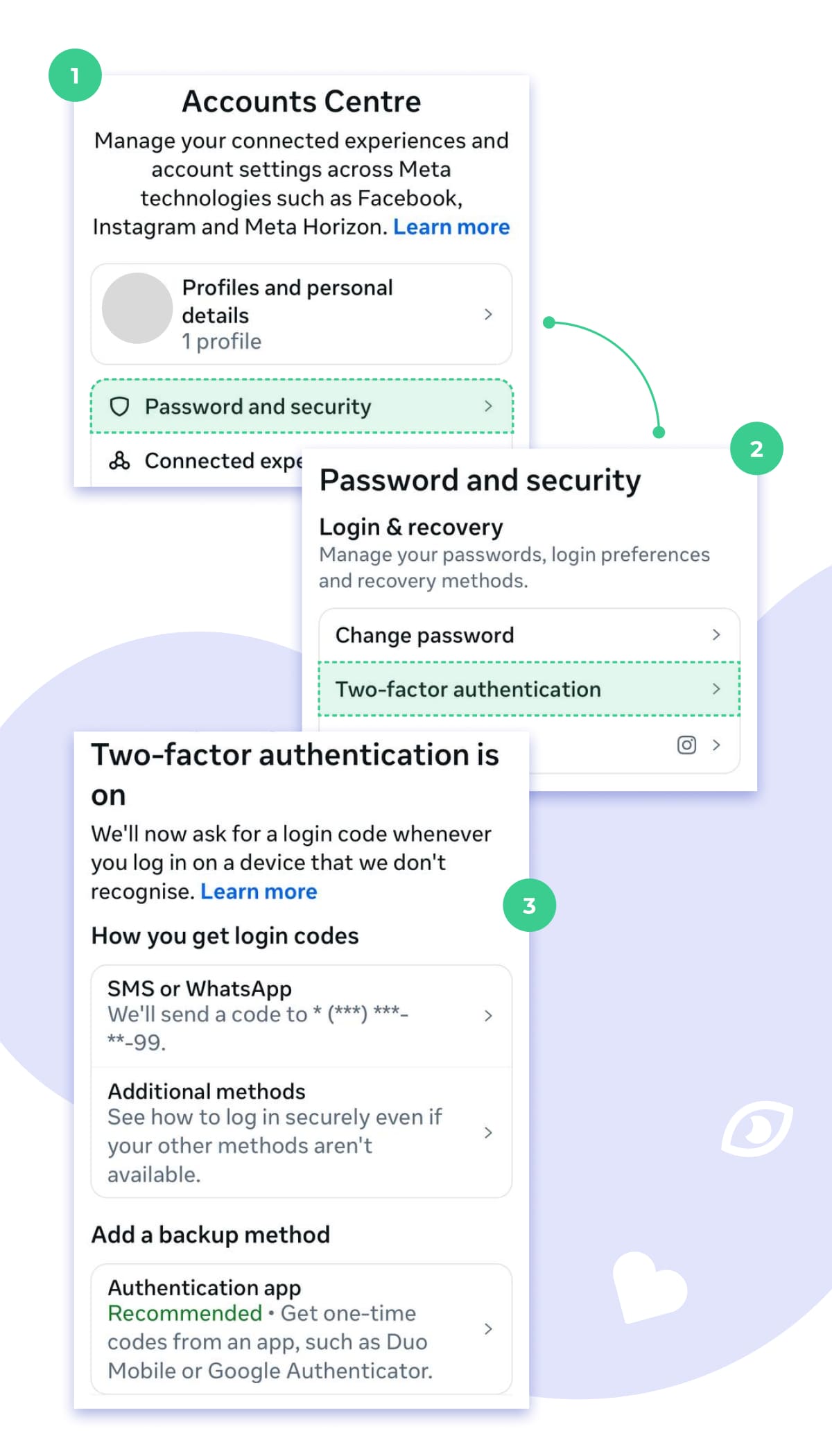
To turn a 2FA open your Settings and privacy and select the Accounts Center. Scroll down to Password Security. Once the Two-factor authentication option is clicked on, you will get to link the account ( in case you have several) and choose how you want to receive your notification. You can also update your phone number or add a backup email address if needed. Or take a screenshot with special codes in case no phone or email are at hand.
Managing Third-Party App Access
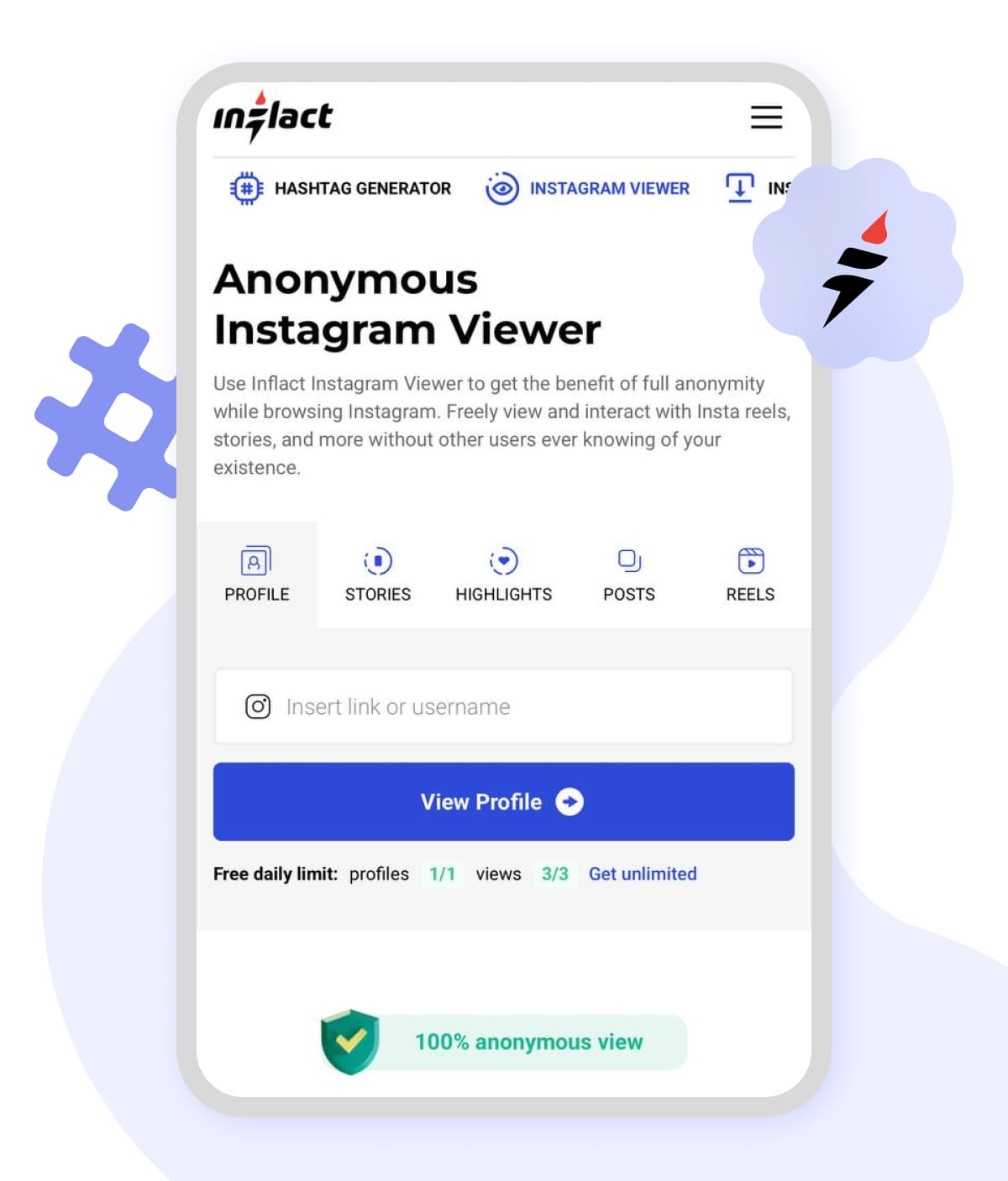
Some third-party tools help browsing IG content without sharing your login details. The Instagram Viewer by Inflact will only ask you to sign up with the email. It is an online service that provides files through link processing. So, you basically don’t even have to run your own account on the platform.
Yet, make sure the software you use takes no extensive permissions, which can be risky and compromise your security. Go through the list of apps that can access your account and revoke any you don’t trust or use anymore.
Controlling Location and Activity Visibility
Turning off geo tags can be a good alternative for people who put a high value on their private lives or are just plain uncomfortable with people knowing where they are. It's easy to flip this setting on and immediately hide your location and avoid unwanted public exposure.
But, at the same time, the Insta Maps feature has its uses for businesses and brands wanting to reach a wider audience and pull in local customers. It's like a digital signpost that lets people know they're there for business.
For sure, it is up to you whether to get focused on personal privacy or business growth more. There is always an option to toggle this feature on or off based on the content you share.
Strong Passwords and Account Recovery
Think of your password as your first line of defense. So do a bit more than just use the same old easy-to-guess info like your birthday or a simple sequence of numbers. Add in some uppercase and lowercase letters, and consider throwing in some numbers or special symbols for good measure. It'll make it a lot harder for someone to hack into your account.
And don't forget to link your phone number or backup email. Doing that brings the same benefits as having a 2-factor authentication set up, and means you'll have a way to get back into your account if you forget your password or if you notice something fishy going on.
Protecting Privacy with VPNs
Using a VPN is a great way to keep your real IP address under wraps, so hackers won't be able to track you down or try to get at your account. You stay pretty much anonymous while you're browsing or posting online, which is a big plus.
The software also encrypts your data, which means that even if you're using a dodgy public Wi-Fi network, your info will stay safe. And one more bonus, you can use a VPN to bypass any geo restrictions that might be in place, and get access to content that's only available in certain areas.
By and large, VPN guards IG privacy by hiding your location, encrypting the data, and allowing you to freely explore global content without exposing yourself to digital threats.
Getting Outbound Traffic With Personal Websites
One way to drive traffic to your official site is to redirect your Instagram shopping services to it. That way you can build a direct connection with your audience without having to share any sensitive data on the social media platform.
Cloud hosting services have become the go-to choice for web pages like this, partly because they offer some big advantages over traditional local hosting solutions:
Scalability: With managed cloud hosting, your server capacity can scale up or down automatically to match the number of visitors you get. No more downtime or manual fiddling with server settings when you get a surge of traffic.
Data redundancy: Unlike local hosting, cloud providers spread your data across loads of geographically separate servers, so if one server goes down, your cloud web hosting’ site stays up and your data stays safe.
Enhanced security: Cloud platforms invest in advanced infrastructure and protocols, including firewalls, inscription, and intrusion detection. So you don't have to worry as much about hackers trying to break in a managed cloud server.
By using your own cloud based hosting domain, you skip transaction controls or any sensitive data leaks that can happen with Instagram analytics. The users just follow the shopping link, all that sensitive information stays locked down on your cloud computing hosting.
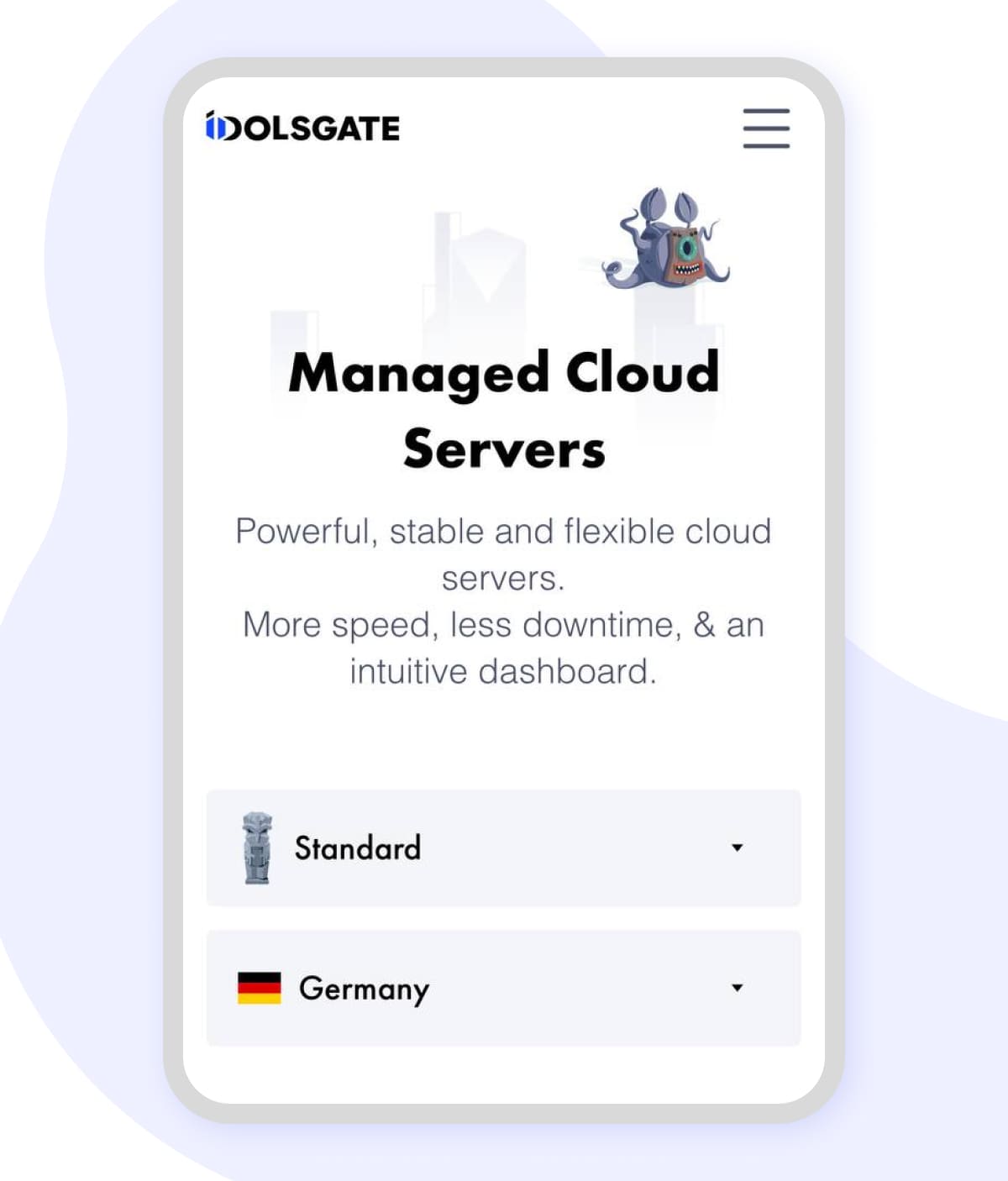
If you're looking to set up a website, consider using a cloud vps hosting like Google cloud or Idolsgate that offer easy website deployment and you can get:
- Tailored user experience: Customize layouts, content, and offers without being limited by IG interface.
- Data ownership: Collect emails, track visitor behaviour, and integrate your own CRM tools.
- Brand consistency: Present your style and messaging and reinforce your brand identity beyond Instagram.
The Crown It All
Never let data vampires make your account a ghost town. Flip those privacy switches, arm yourself with 2FA like a digital knight, and VPN your way through the shadows. You have the keys in your settings, so claim them, own them, and scroll fearlessly. Your online empire deserves a skilled guardian!