
Meta’s passion for creating alternatives to already in demand social media platforms is loud enough. The digital community still remembers how Reels appeared with video clips and some creators starting their journey into the world of aesthetics and polished feeds. Then users were flexing both their fingers and brains coming up with good captions for Threads, a claimed X killer.
And it is already a year ago, big bosses aimed at apps. First, CapCut was targeted. Its audience got hunted with the launch of Edits Instagram app, “more than a video editing app but a full suite of creative tools”,as Adam Mosseri addresses it.
The Concept of “More” Revealed for Edits
At first glance the app seems pretty standard. Users can edit clips, add music, layer transitions and effects, and toss in some filters, just about the usual suspects you'd expect from any editing tool. But, and it's a big but, as you dig deeper the app's advanced capabilities start to surface despite video Edits for Instagram.
Strategic Instagram Integration
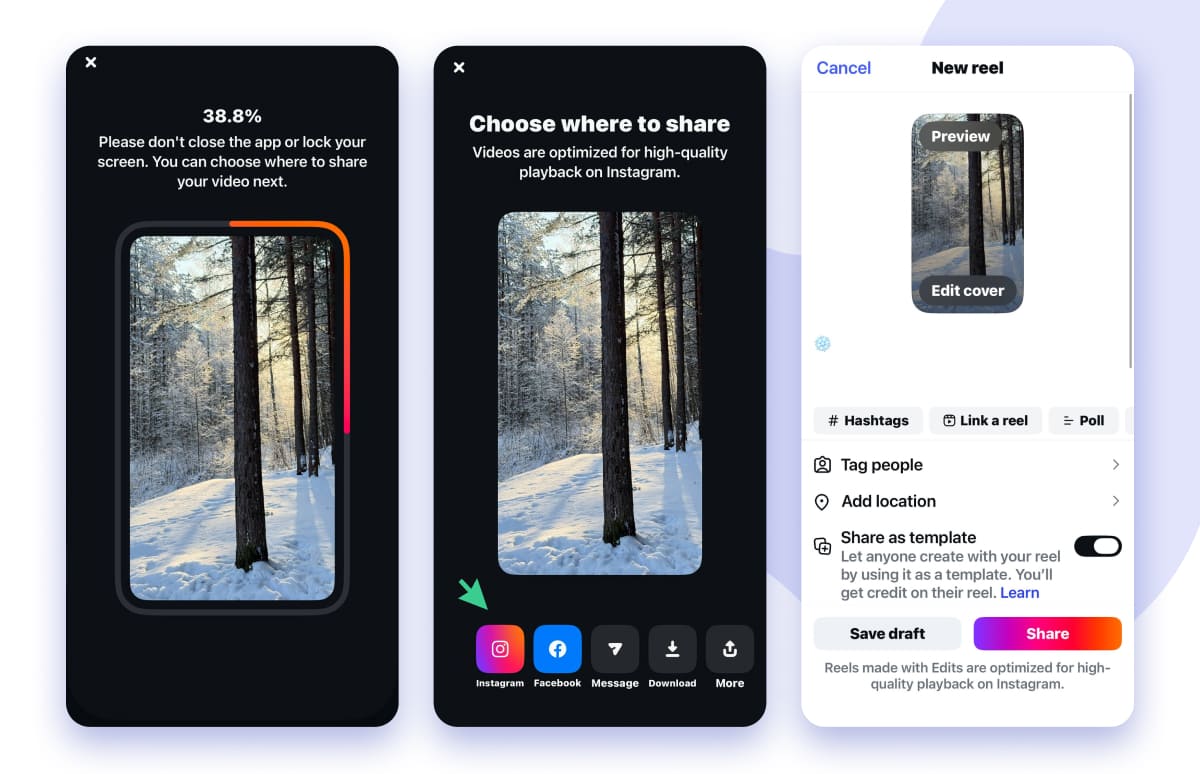
The clever thing about this app is that it's been designed with Instagram in mind. So, editing clips with Edits by Instagram feels like an extension of the app you're already using. You can prototype Reels, find those catchy viral sounds and even get a glimpse of how well a clip is performing. And the best bit? You can tap into actual data from your existing uploads, so you can edit knowing what'll work and what won't.
Powerful AI Features
There is a set of free AI tools available to:
Enable Teleprompter
No more fumbling for scripts or making nervous eye contact with the camera. Just type in your text, fiddle with the font till it looks right and fine-tune the scroll speed to feel like you're in perfect sync with your usual pace. Your teleprompter will pop right up below the camera lens in no time. And with it, you can keep your eyes locked on the lens like you're having a conversation.
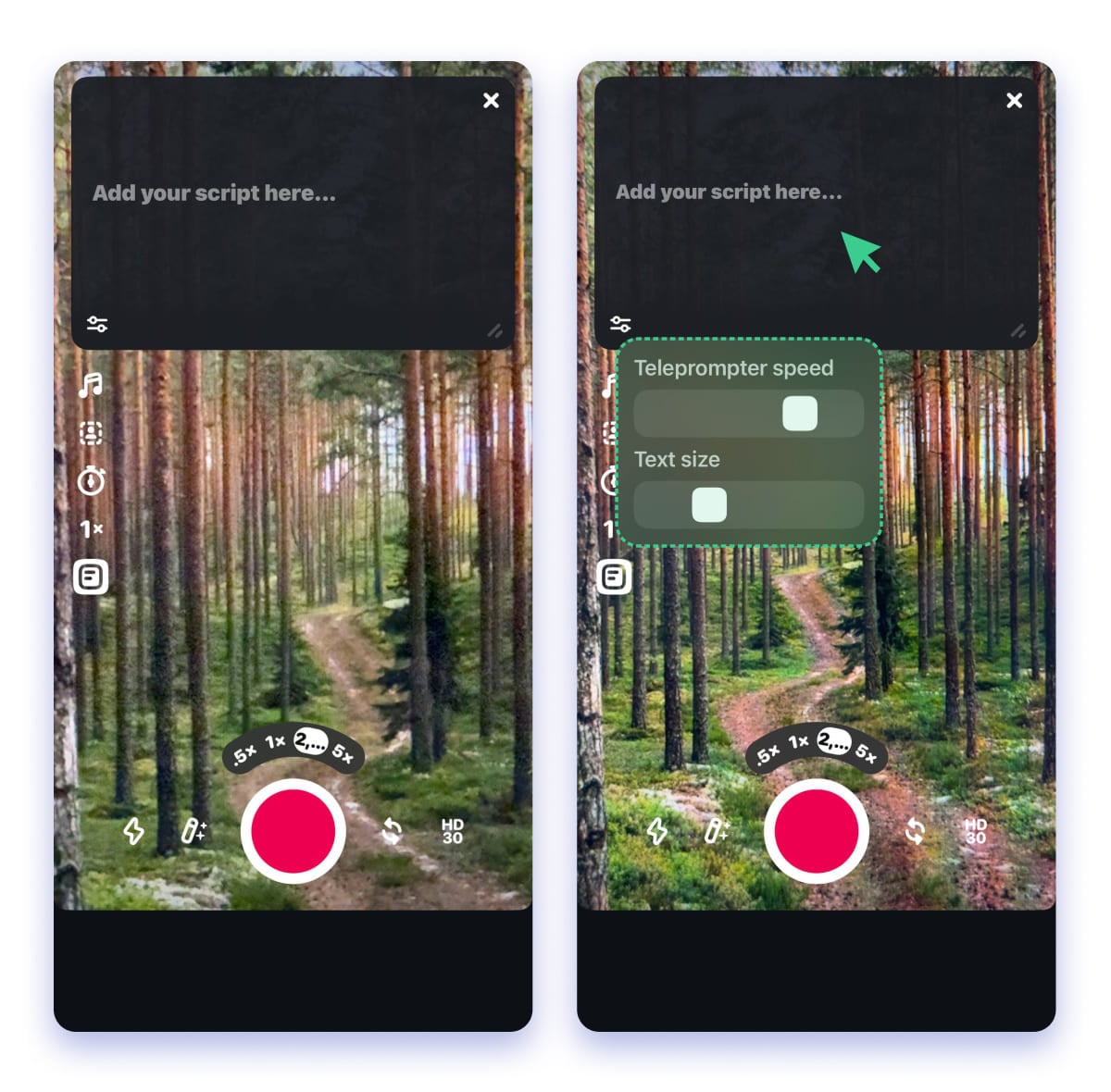
This feature helps to deliver authentic performances without stumbling over your words or getting those awkward eye movements that put viewers off.
Remove Background Without a Green Screen
The Talking Head effect is a great way for making visual explanations for tutorials, presentations, marketing materials, etc. But until now, it needed clunky software and a whole bunch of advanced skills. Not any more, thanks to the Instagram Edits app.
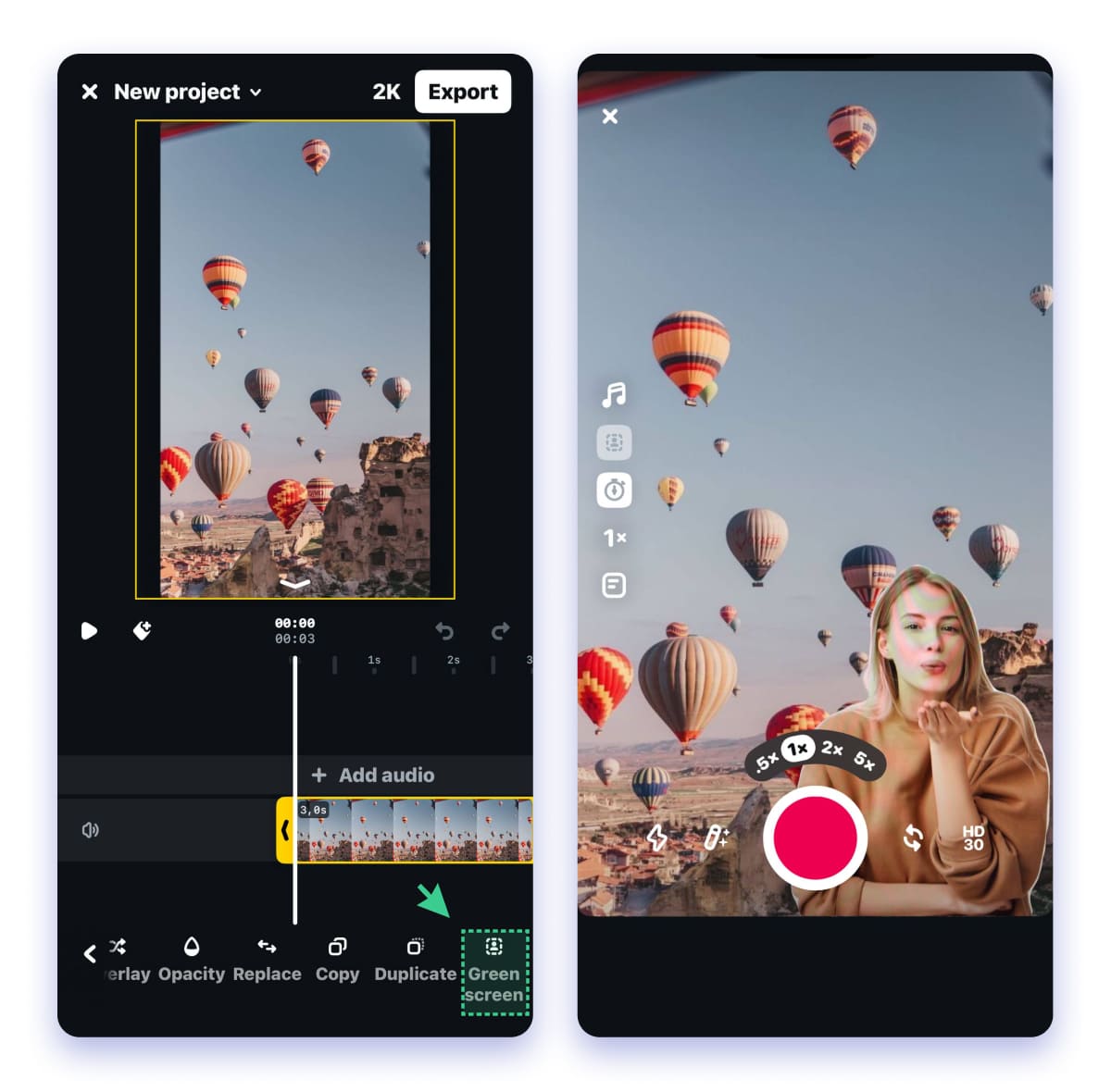
Step 1: Open up the app and start a new project, import your video or image background in there
Step 2: Head on over to the timeline and tap the Green Screen option
Step 3: Zoom in/out with a pinch and size up on screen
Step 4: Now press record and off you go
As you're rolling, you get to see a live replay of your background, so you can naturally reference all the visual elements while chatting away. But the minute you tap Stop, that's it for editing videos for Instagram. No further changes are supported.
There's a solution coming up below on how to make Instagram edits the way you want to...
Perform smart image cutouts
Cutouts can be a lifesaver among all Instagram Edits app features when it comes to removing backgrounds from photos or videos. And you can superimpose those snipped bits onto any frame you want in seconds. Or, if you don't want to do it manually, the app will do the hard work for you.
With cutouts, you can get creative with multi-layered scenes, clone objects and pop them over or under text and other elements. This makes quick work of editing and is super handy for whipping up those fancy special effects without having to slave over them for hours.
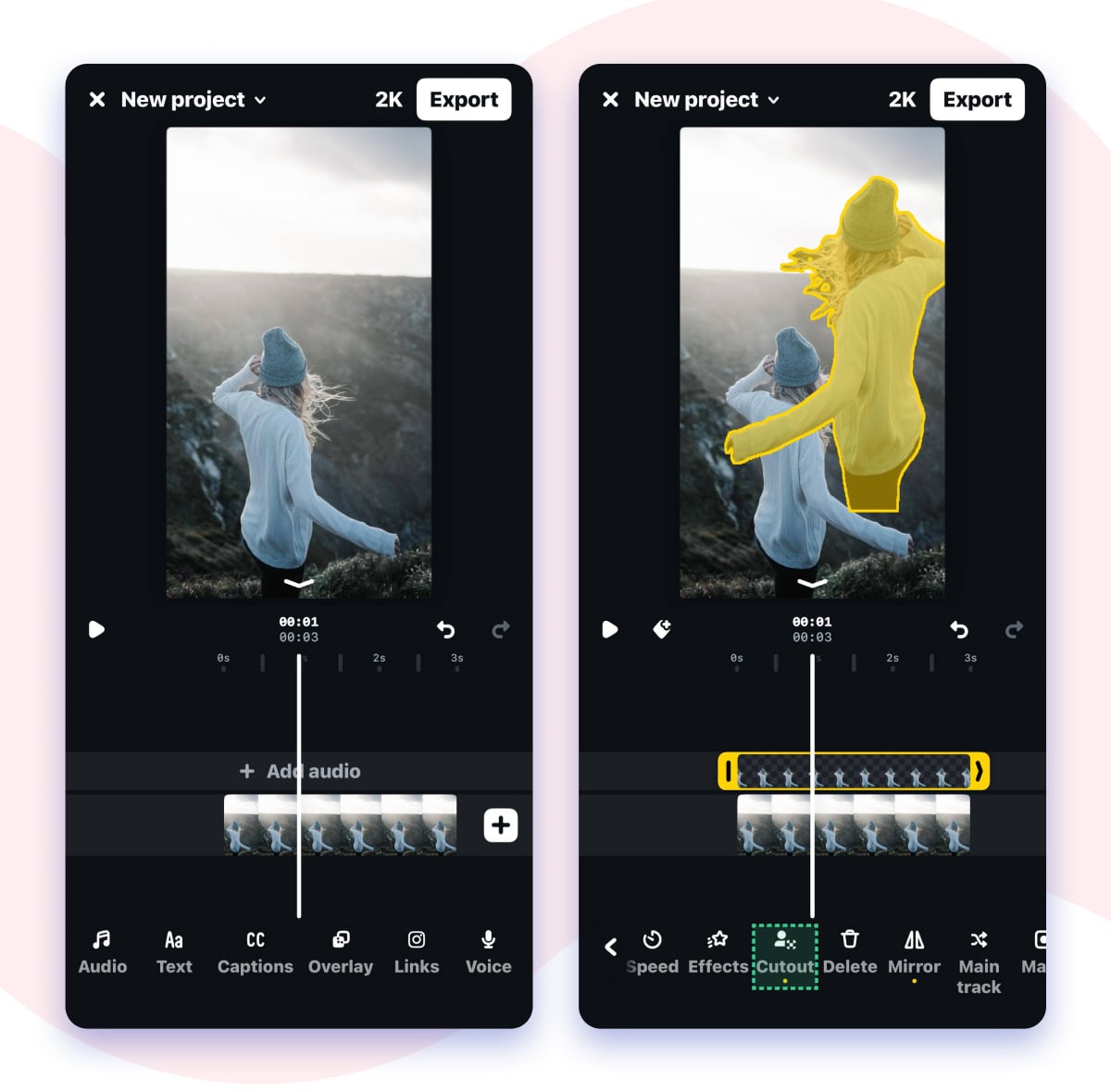
All can be done in-app, so you don't have to worry about running out of storage space on your device.
Watermark free
Exports from Instagram Edits look spotless. No logo or watermark in sight. This is a big deal for brands and content creators who rely on visuals. A distracting watermark in feeds can really ruin the whole vibe.
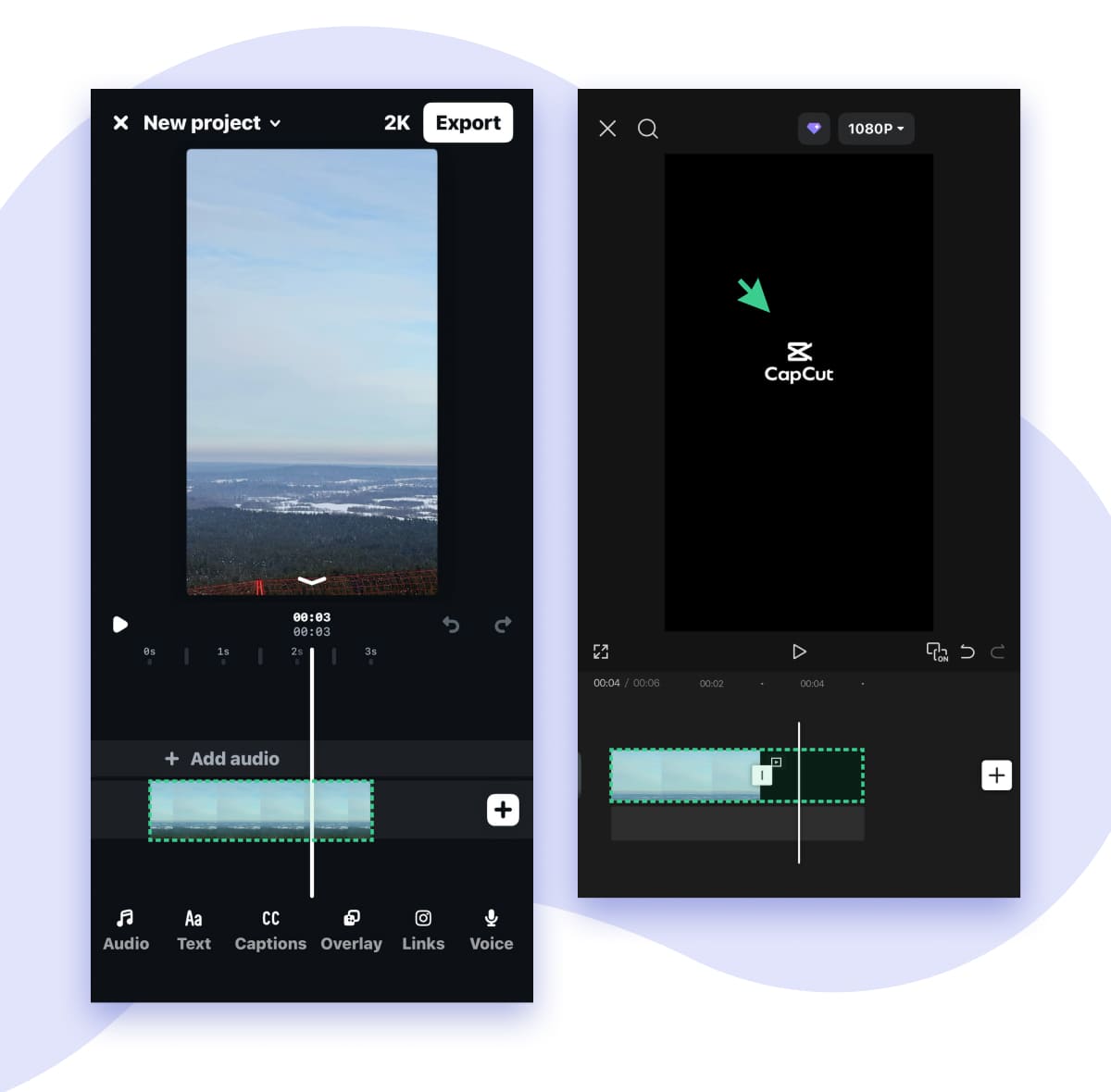
Fresh updates dropping like seamless Reels linking. Don't miss out any other Instagram Edits app review!
Idea Goldmine: Stickies That Stick Around
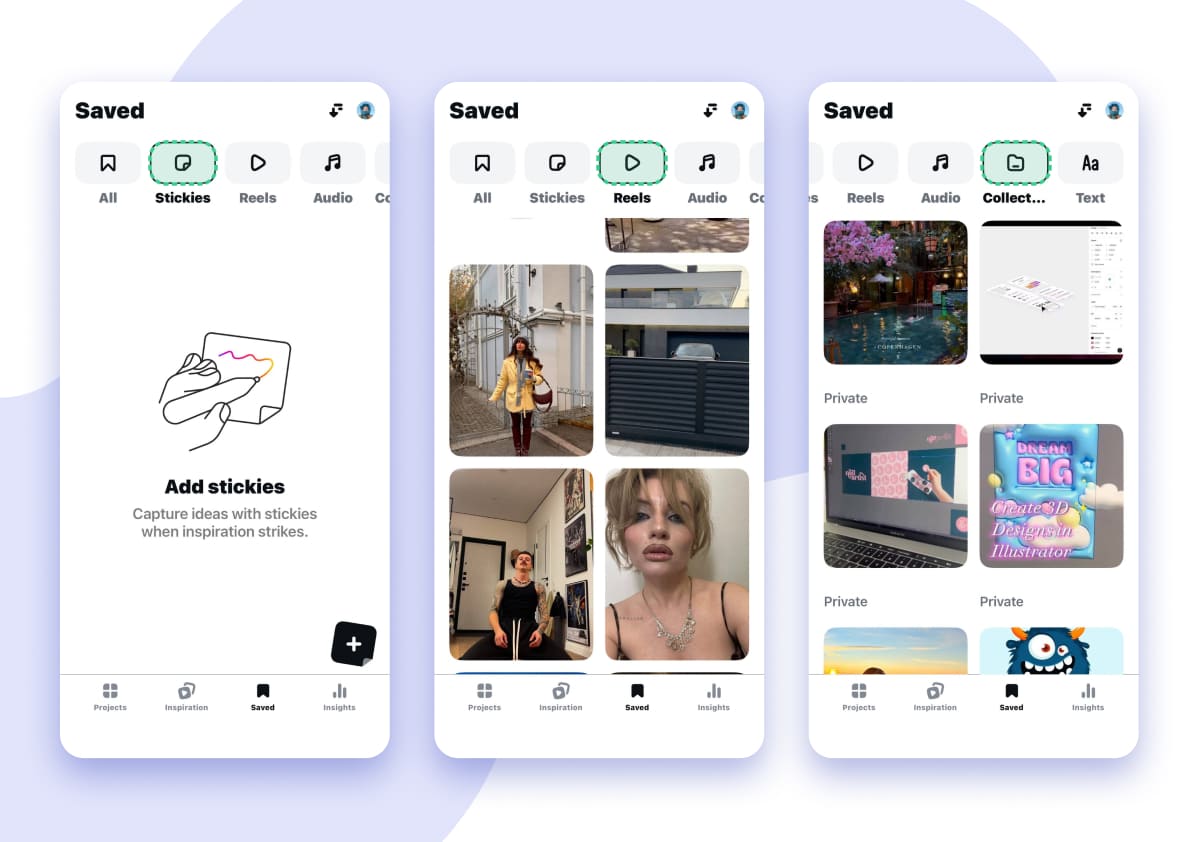
Save those fleeting ideas the minute they come to your head in the Ideas tab. And don't worry about scrambling to keep up, because you also get instant access to the videos and collections you've been storing away.
- Stickies: Grab a digital sticker whenever an idea hits you, on the go or during a meeting, and keep it right there for you to call back when you need it.
- Reels: Whip up some short videos to start visualizing your ideas and get a read on what your audience will actually like before you start churning out the content.
- Audio: Save any videos with sound or hook that you would like to use in the future.
- Collections: Organise all your loose bits of content by theme (like a product launch or a social media trend) so you can re-share and rework whatever works across Instagram.
This really lets you turn the way you manage your ideas inside out and upside down, helping digital marketers and content pros stay top of their game by getting a handle on their workflow.
Reels Mastery Through Edits Stats
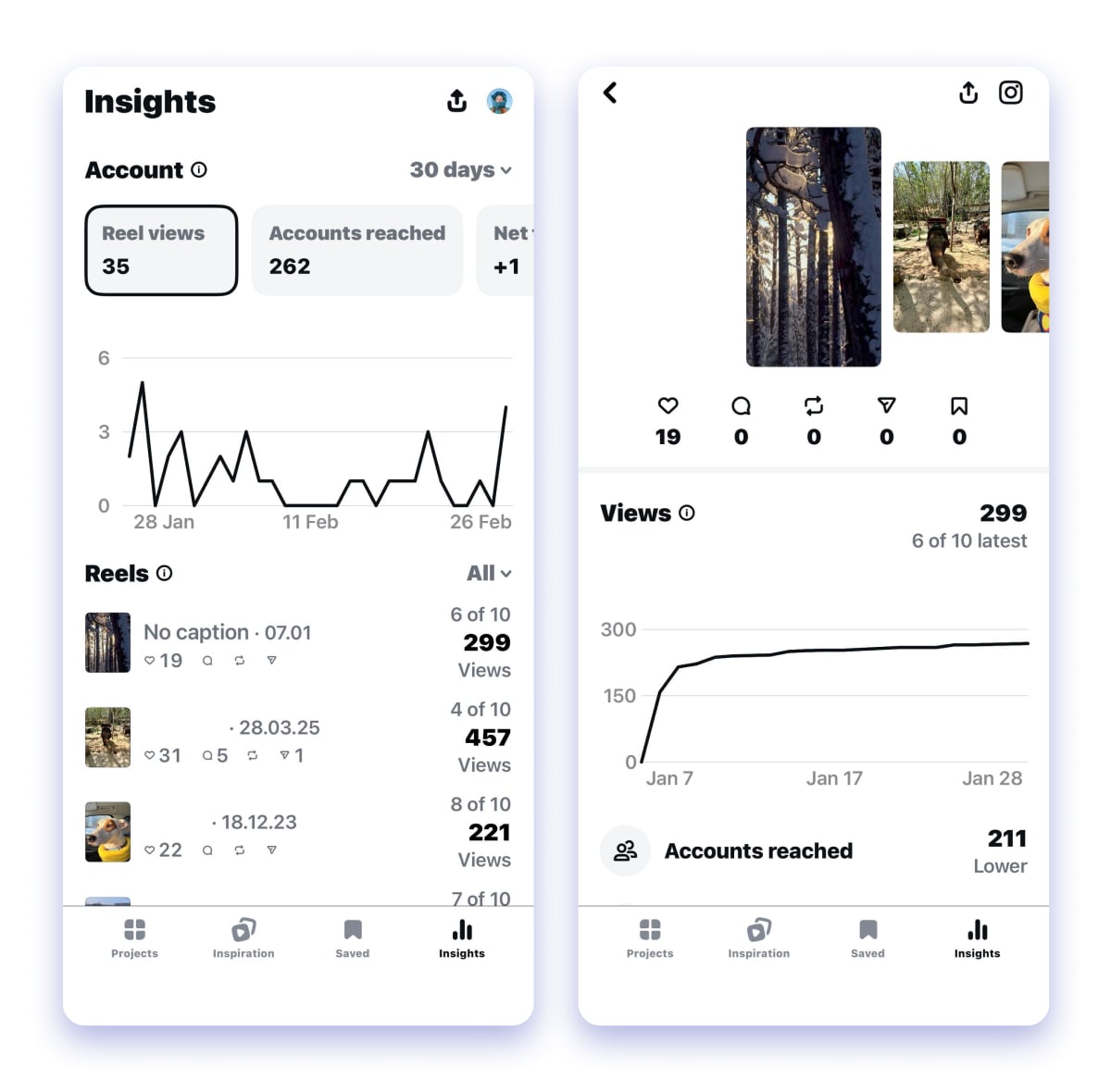
It's a bit like looking at your Reels' vital signs: you get to see every view, drop-off and every spark of engagement laid right out there in the open. To get a live snapshot of your analytics, just tap that little graph icon down in the bottom right corner. That'll give you a rundown of what's been going on over the past 7-60 days.
- Views: This is just the total number of times your Reel was watched/impressed. Use the graph to figure out when your audience is most active and plan your posting for best impact, especially if you're publishing on a set schedule. If your view count spikes every time you post, try posting a bit more regularly to even things out.
- Reach: This is the number of unique accounts that actually saw your content. That includes Reels, posts, Stories, and Lives). It's not 100% accurate according to the Instagram users, but it's a good rough guide for how your content is getting around.
- Net Subscriber Growth: This is how many more followers you're gaining than losing. If you're coming up short, it's time to take a closer look at the quality of your content and your CTAs. Maybe it's just a case of weak opening lines.
- Interactions & Saves: This is where we see how many likes, shares and comments you're getting, and all of these are tracked separately. If you find you're getting a lot of saves, it suggests that your content went viral, so it is time to lean into more of the same stuff.
Start digging into the individual Reels themselves and you can start making data-driven changes with:
- Average Watch Time: This is how many seconds people are sticking with your Reel (and what percentage of the whole). For example, if you find that people are only watching 8/15 of your Reel, you might want to try aiming for 10 seconds instead
- Views Pie Chart: This is a nice way to break down where your followers are coming from with a split of how many are actually following you as opposed to people who stumbled across your Reel by accident. If you find that a lot of non-followers are watching, it's likely that your Reel went viral - so it's worth trying to replicate that hook.
- Skip Rate: This tells you where people are dropping off. And if you find that they're stopping at a certain point, you might want to try shortening the Reel or breaking it up with some CTAs in the middle.
Track all this stuff every week to start refining your hooks, your video lengths and your posting times, turning all that guesswork into actual growth
Level up with the Instagram Tracker. This powerhouse tool keeps you laser-focused on every content shift, so you're not just feeding the Reels tab, you're dominating your entire profile.
Summing Everything Up
In a world where there are a million different apps to choose from, the Edits app really stands out as Meta's most clever move yet. It's like a super-smooth, totally seamless extension of the Instagram app, that just plain boosts your Reels workflow and a whole lot more, all without the annoyance of watermarks, storage headaches or just plain guesswork. You get all sorts of advanced tools like teleprompters, green-screen stuff and idea stickies, and on top of that real-time stats to boot. So, it lets you edit like a pro , post at lightning speed and really grow your following, all while tapping into data that you're already putting up.
A step by step guide to getting your very first project started is coming up on our YouTube channel. In the meantime, hit that bell on our channel and turn the notifications on.
FAQ
Will Reels edited in Edits get a boost on Instagram?
Reels that are edited and posted straight from the Edits by Meta might get picked up a bit more by Instagram's algorithm, giving them a boost in feeds and Explore pages. They're really pushing content created within Edits, and even if you've already done a lot of your editing elsewhere (say with CapCut or Premiere) just importing that video into Edits, making some minor tweak and then posting from there might be a smart little trick to get in on this advantage. Lots of creators have noticed a pretty noticeable jump in engagement so you may want to give it a try with your next Reel.
Is the Edits app free to use?
An active Instagram account is required to log in and use Edits fully. The app ties directly into your IG profile for seamless posting, saving projects, and accessing your media library. This integration ensures editing video for Instagram in sync effortlessly with your feed or Reels tab. Be cautious: if you delete your Instagram account, all your Edits data, including saved projects, templates, and history, will be permanently deleted too. For privacy-conscious users, consider using a dedicated creator account to keep things organized.
Do I need an Instagram account for Edits to work?
You actually need to have an active Instagram account to have a skill of how to use Instagram Edits fully. The two apps are pretty tightly integrated. The Meta Edits app uses your IG profile to let you log in and start using it. Just be aware that if you delete your Instagram account, all your data including saved projects will be gone for good. So maybe consider setting up a dedicated account for your creator's work to keep things strictly separate.
What's the video length limit in Edits?
Videos are capped at 10 minutes, whether you're filming or editing inside the app.