Advanced Settings in the Inflact Promo Module are made for users who want to take full control of their promotion strategy. These tools help the system better understand your goals, filter audiences more precisely, and interact in the most natural and efficient way. Let’s walk through each section to see how it works and how you can use it to your advantage.
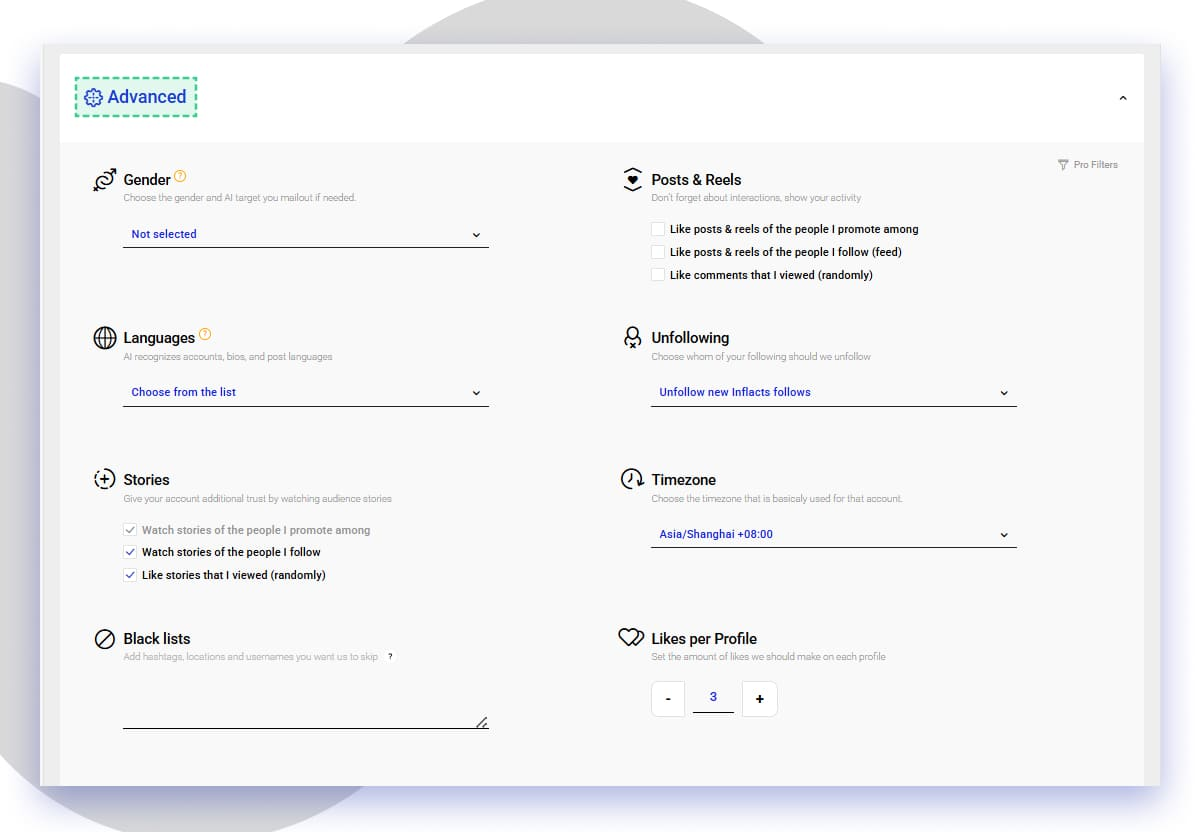
Gender
Here you can choose which audience you want to focus on. If you don’t select a gender, the system will automatically interact with both male and female users.
Languages
Inflact AI recognizes the language of posts, bios, and profiles, allowing you to target users who speak a specific language. This feature helps you connect with the audience that matches your content and communication style.
However, we recommend keeping this filter disabled, since many users include English in their bios even if it’s not their main language. When the filter is active, the system may skip too many suitable profiles and slow down your promotion.
Stories
Story viewing and liking make your account look more real and trustworthy. You can enable the following options:
• Watch stories of the people you promote among
• Watch stories of the people you follow
• Like stories that you viewed randomly
Black lists
Add hashtags, usernames, or locations you don’t want to interact with. The system will automatically skip them during promotion. It’s perfect for avoiding competitors or audiences you don’t want to target.
Posts & Reels
This section helps your activity look more genuine and engaging. You can set automatic interactions with posts, reels, and comments:
• Like posts and reels of the people you promote among
• Like posts and reels of the people you follow (feed)
• Like comments that you viewed (randomly)
Unfollowing
This section lets you manage how Inflact unfollows accounts. There are four available options:
• Unfollow from all (including your friends)
• Unfollow from new Inflact follows (accounts followed by the system)
• Unfollow from new Inflact follows except those who followed you back
• Unfollow from all except those who followed you back
Choose the option that fits your promotion goals.
Timezone
Set your time zone so Inflact performs actions during the most active hours of your audience. It keeps your promotion looking organic and human-like.
Likes per Profile
This setting controls how many likes the system places on each profile. We recommend leaving it at 3 per profile for a balanced and authentic promotion flow.
Pro Filters (Profile Filters)
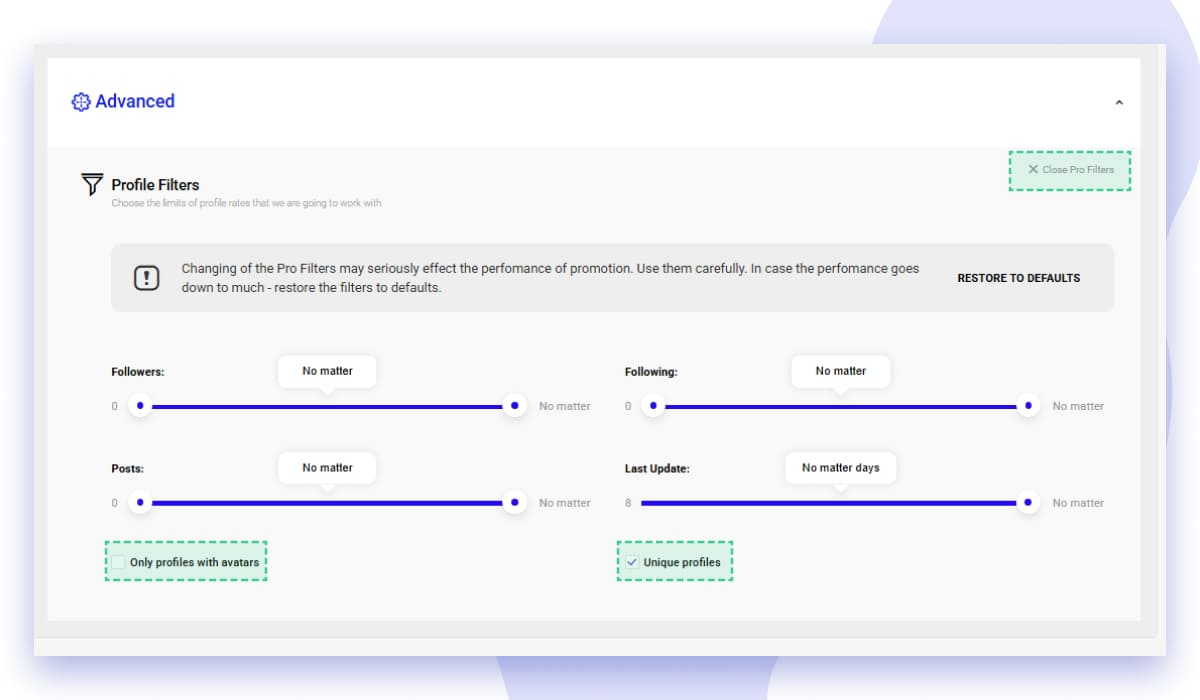
These filters define which profiles the system will interact with. You can set limits for:
• Number of followers
• Number of followings
• Number of posts
• Last activity date
You can also enable two important options:
• Only profiles with avatars — to interact only with complete accounts
• Unique profiles — so the system checks each account only once and doesn’t waste time revisiting the same users
Important recommendation
Changing Pro Filters can significantly affect your promotion performance. If you make them too strict, the system may skip too many accounts and slow down your results. Use filters carefully, and if performance drops, restore them to default settings.
Advanced Settings give you full control over how Inflact promotes your account. Use them to build a personalized, safe, and effective strategy that helps your activity stay natural and attract the right audience faster.