
Tracker is not just a tool for watching Stories. It is a complete workspace for anyone working with Instagram, especially influencers, marketers, or small teams managing multiple profiles. It helps you see how an account grows, how content performs, and what is really happening with engagement over time.
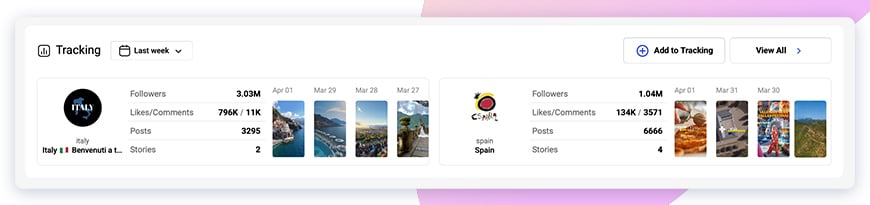
Once you add an Instagram account, Tracker starts collecting data automatically. Not only Stories, but also followers, likes, comments, and posts.
Followers
Here you can quickly understand what is going on with your audience. The main number shows the total followers. Right next to it you see the change for the selected day.
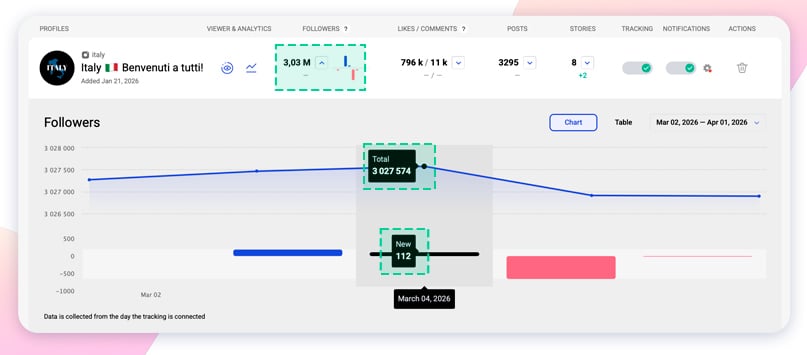
If you open the chart, it becomes more clear. The “Total” value shows how many followers the account had at a specific moment. The “New” value shows how many followers were gained or lost on that exact day.
This is useful when you want to catch sudden drops or growth. For example, after a post, collaboration, or even a platform update.
Likes and Comments
This section shows how people interact with content over time. The blue line represents likes, and the red line shows comments.
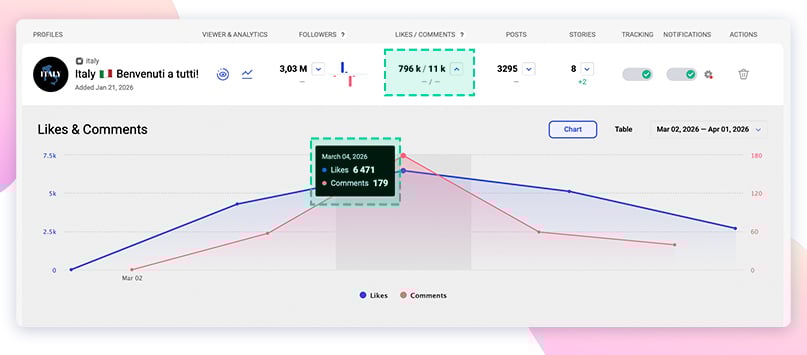
When you move along the chart, you can see exact numbers for each day. It helps you understand what kind of content gets more attention and what does not.
Notifications
Notifications are helpful if you do not want to check Tracker all the time. You can let the system notify you about updates instead.
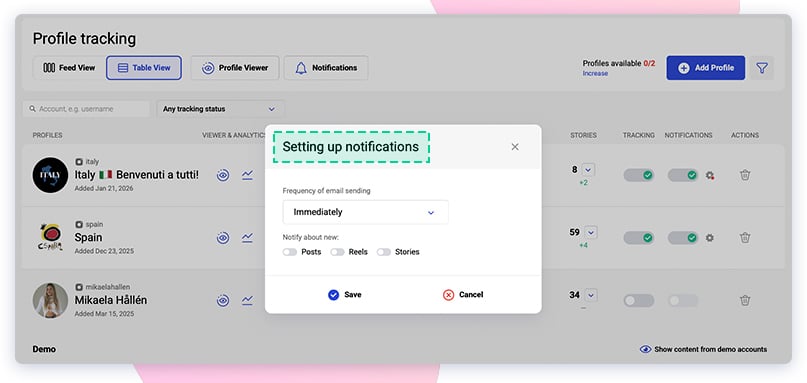
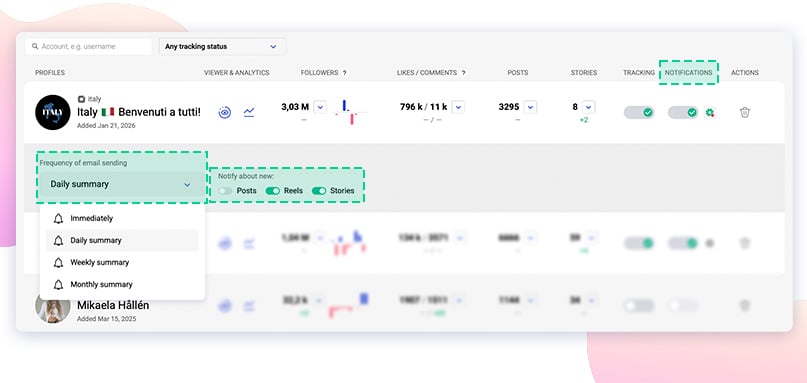
You can choose how often you want to receive them:
- Immediately
- Daily summary
- Weekly summary
- Monthly summary
You can also decide what to track:
- Posts
- Reels
- Stories
If you work with several accounts, this becomes especially useful. You can either apply the same settings to all profiles or adjust notifications separately for each one.
Account filtering
When you track many profiles, navigation can get messy. That is why the search and filtering tools are important.
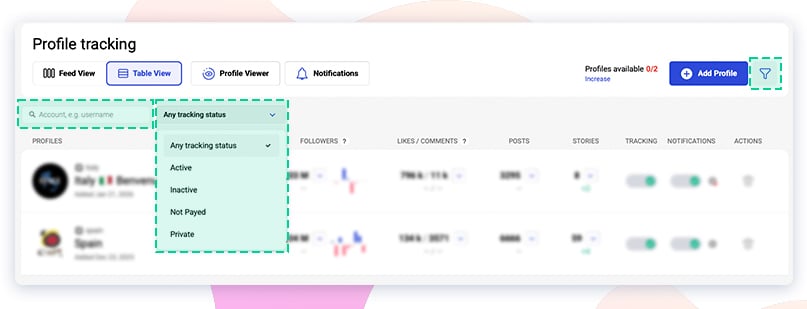
You can search accounts by username or filter them by status:
- Active
- Inactive
- Not paid
- Private
This saves time and helps you focus only on the accounts that matter right now instead of scrolling through everything.
Tracker works best when you use it as a daily tool, not just occasionally. It helps you notice patterns, react faster, and make better decisions based on real data, not guesses.If you want to explore it in more detail, check the detailed Tracker guide and the YouTube video overview.