


Instagram Photo Downloader

How it works

Use Inflact Instagram photo downloader to save IG pictures or carousels anonymously, without logging in to the platform.

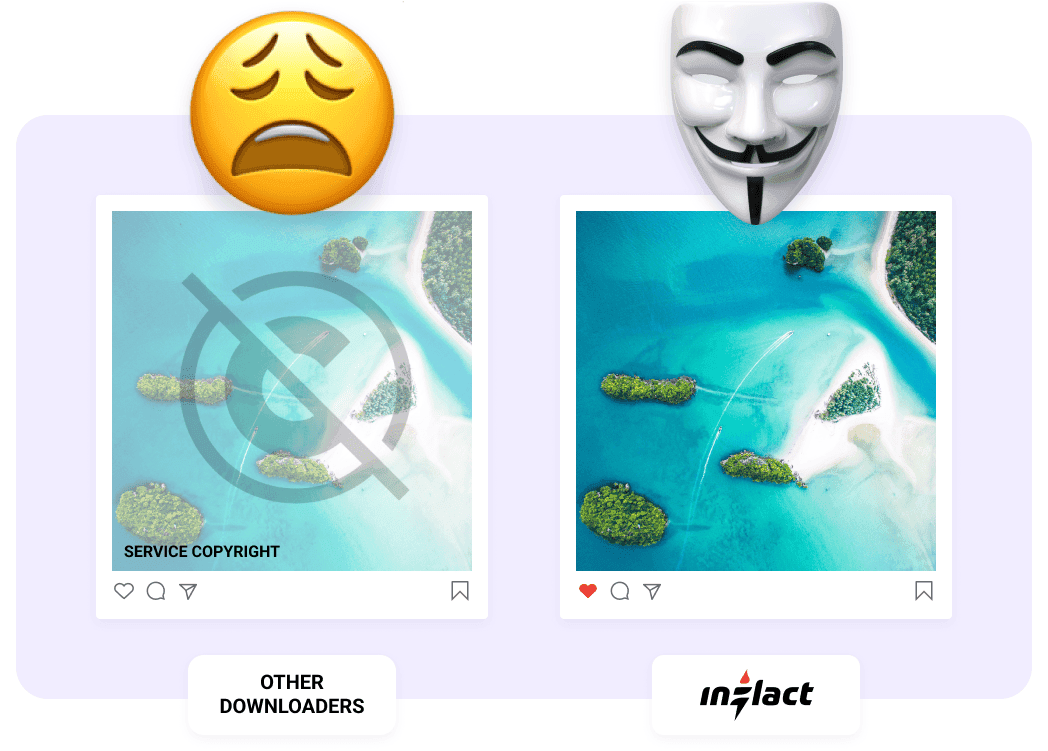
Original HD quality
No watermarks
Multiple posts download

Inflact is not affiliated with Instagram™. We do not host any Instagram content. All rights belong to their respective owners.
We respect privacy — only public content is available.

How to Download Instagram Photos with the Instagram Photo Downloader?

Tired of taking screenshots that ruin original picture quality? You can download images from Instagram in HD without watermarks or logos using our IG post downloader.

  1. 1

    Tap to сopy
    the link

  2. 2

    Paste the copied URL
    into the search bar

  3. 3

    Press the Download
    button

Download a Full Account in Personal Cloud

Access all posts from a public account or only selected files in just one click. Use Inflact Cloud — our premium storage that lets you organize and store chosen items in one secure space.

To move files to the Cloud, select the folders you’d like to keep and click “Add to Cloud”. If you’re subscribed to our Instagram Tracker, all new content, such as photos and videos, from monitored accounts will automatically appear in Cloud.

Get Premium

The Instagram Carousel Downloader for Bulk Posts

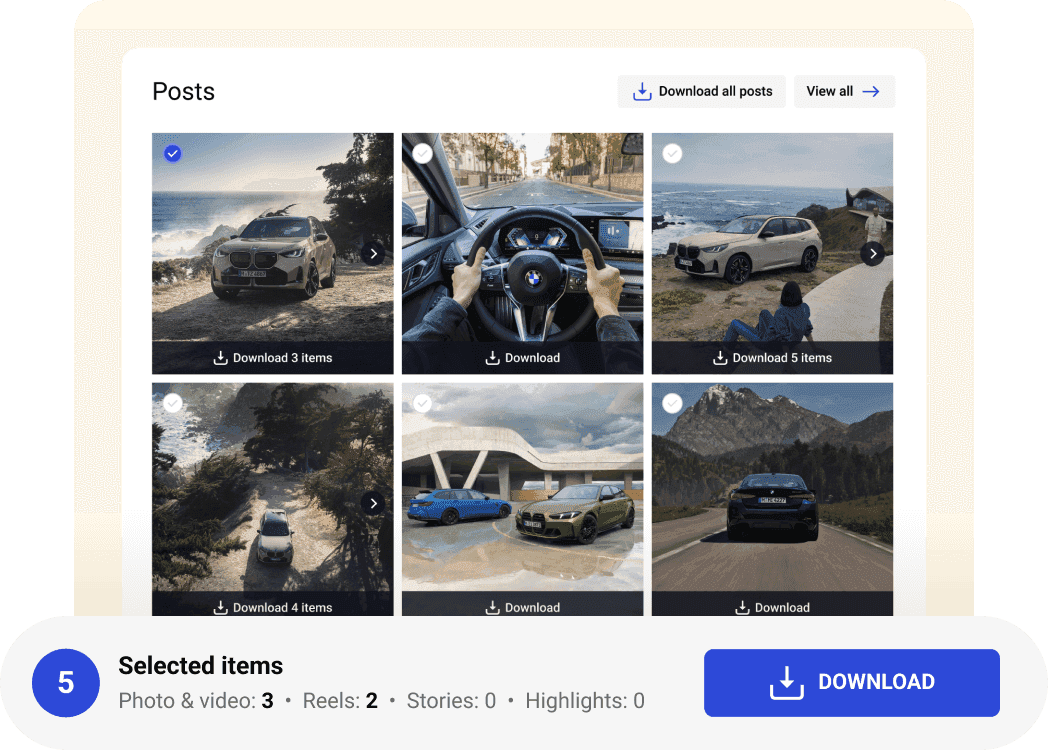
Those who would like to download multiple photos from somebody else’s profile can also get it covered. The service offers a special feature that enables saving in bulk. Just put a username into a search bar and have the whole album on your device in a click. It is also possible to set customized downloads according to your particular request for the content format, type, and number. Heavy files that are too much for your phone or computer memory aren’t a problem. Inflact enables users to store photos and videos on our server for the entire subscription period.

Download Instagram Photos and Posts Anonymously

We respect your privacy, that’s why our service uses a proxy, so none of your data is requested. Our IG photo saver guarantees that every instagram photo download is completely private. It’s the easiest way to stay anonymous and keep your data safe. Use our tool for a fast Instagram post download without leaving a trace in view stats.

Pricing
for Instagram Photo Downloader

Inflact offers a generous limit of 3 downloads per day, which can be a great starting point if you're okay with waiting for the restoration period. For more flexibility, consider upgrading to a paid subscription and unlock unlimited downloads. Purchase the tool solo or explore the Pro package tailored to your needs. Test out the benefits of the premium experience with a week-long trial for only $3.

Full profile download
1 Profile
Public accounts only
Bulk posts download
Instagram Viewer
Content downloads limits
Original HD quality
No ads
Free
$
0.00
Per month
Get Premium to unlock more limits in Instagram Downloader
Full profile download
Bulk posts download
Instagram Viewer
Content downloads limits
Original HD quality
No ads
Premium
$
7.8
Per month
Get Premium
Full profile download
1 Profile
Public accounts only
Bulk posts download
Instagram Viewer
Unlimited
Content downloads limits
Unlimited
Original HD quality
No ads

Get a Full Instagram Profile in 1 Click

Download full Instagram profiles without any limits in original quality with a Premium plan.

Unlimited post downloader
Premium
fast proxies
Bulk download in one click
Original
HD quality

Over 200K satisfied clients worldwide

Excellent
4.2 of 5
Based on 641 reviews
Trustpilot
Jan 12, 2026
I’ve been using Inflact for a long time…
I’ve been using Inflact for a long time and I personally contacted support several times asking for the option to download content separately. Posts, reels, stories, highlights. I’m really happy they finally added this feature. It makes such a big difference for my workflow and saves me a lot of time. Now I can download exactly what I need without extra steps. I also like the new Media section. It’s much easier to keep everything organized in one place instead of constantly downloading files to my device. The update system is very clear too. You can quickly check what’s new and update only the content you want. Huge thanks to the team for actually listening to user feedback. This update genuinely made my work much easier.
Aug 10, 2025
Great Instagram Downloader
I have really enjoyed this website. It has been very helpful to me. I had an issue, and the customer service people have been very helpful with that. I would recommend this site to anybody who asks about an Instagram downloader.
Jun 15, 2025
Had an issue with the download process
Had an issue with the download process. The support team was able to help as quickly as possible to get things moving along. I have used the site for more than one project. It always goes well.
Jun 10, 2025
What I was looking for to download content in minutes
I’ve been looking for something to save me time when downloading content, and this app did exactly that. I was able to download full Instagram profiles in just minutes, something that would normally take me hours to do manually. Super easy to use and fast. 100% recommended!!
Jun 10, 2025
Very user friendly
Very user friendly, and there are no hidden catch. You can download thousands of IG contents in an instant. Highly recommended
Jun 10, 2025
Helpful Tool to Download IG Profiles
I purchased this product to be able to download upto 3 Instagram profiles fully. I was able to use it for this purpose. This tool also has many other features and functionalities and I hope I can explore them one by one going forward as per my need.
May 28, 2025
Quick and easy downloader
Super handy for saving Instagram content to my device with just a few clicks.
May 27, 2025
By far one of the best sites for…
By far one of the best sites for downloading someone's entire instagram account
Apr 10, 2025
Decent downloader
Decent downloader, but sometimes videos take longer to process.
Feb 10, 2025
Fast & Hassle-Free Media Saver
Didn't expect it to work so smoothly! Just copy the link and boom - the video or photo is on my device in seconds. No weird ads, no complicated steps. Super useful when I want to save something for later. Love it!

Need help?

Read our blog to learn more about some new techniques for Instagram promotion. If you have any questions about our service, visit our FAQ section.

About
Functionality
About

How to save a photo from Instagram?

You are only allowed to save someone's Instagram photo in-app. To do that, apply an Instagram bookmark feature and get the content stored in a “Saved” folder for future purposes. In case you want to download a photo from Instagram to your device, turn to a third-party service. Unlike taking screenshots, the tool will ensure keeping the images in the initial size and quality.

Is my personal data safe with this IG photo downloader?

When you download an Insta pic or video, the service doesn’t work as an app or extension that require access either to your IG profile or installation. The software can be run at any time and trough any browser that makes the entire process a fully anonymous. This web architecture carries off common risks such as potential data leaks from permissions, malware infection from untrusted tools, or account compromises through unauthorised API connections. Simply paste a public post URL and our proxy servers fetch the desired content directly to your device’s memory.

Is the Inflact IG Image Downloader free to use?

The user is given three free attempts by default or can log in via email and upgrade the Instagram photo saver to handle high-volume requests. The service only uses this data for account management and never shares it with anyone or track any of your Instagram activity either. With a paid plan, you can unlock premium features like batch downloads, priority server processing for faster results, and you will be able to save all types of content, not just photos.
Functionality

How to save photos from Instagram on PC?

The service downloads automatically to the device the tool is browsed on, you can, let’s say, save a photo from Instagram on Mac after running the Photo Downloader on it. The same is true for mobiles that save a photo from Instagram directly to the camera roll. So far as this feature is configured by default, no other storage can be set. However, after the image has been downloaded, you can move it to any folder.

How to download a photo from an Instagram story?

To download a Story from another account, switch to the Stories tab from the Photo one. You'll find the same search bar here, which will ask for a username instead of a post URL. If more than one article has been published at the moment, the service will additionally make you tick the one you need from the dropdown. Notice that both photos and videos are available for downloading in this mode.

How to download an Instagram photo album?

The solution you may choose to download all photos from the account significantly depends on whether you are the owner yourself or want to download someone's Instagram photo.

Account holders are entitled to opt for Instagram’s data download feature to export their content. Just tap the menu icon and go to Settings. Select Security right after and proceed with Download Data. The platform will ask you to enter a valid email address and share a link on it to download your data within 48 hours.

Those who would like to keep content from somebody else’s profile can also get it covered. The service offers a special paid feature that enables saving in bulk. Just put a username into a search bar and have the whole album downloaded on your device in a click.

Can I download photos from private accounts?

The tool is designed for creators, marketers, and regular users for quick and ethical saves from public profiles, which is a fair approach for personal, non-commercial inspiration, and archiving. We explicitly don’t download Instagram photos from private pages to operate within platform’s Terms of Use, Community Guidelines, and privacy laws. This ensures both our service and your usage remain secure and rule-abiding.

Where can I find my downloaded photos?

Users who want to download an IG post with a free plan get the files saved directly into the device’s memory. You can ether find them in your Gallery on a mobile or a Downloads tab on a desktop. The upgraded plan let’s you keep the downloaded media on our servers for 30 days, and you can extend this period with purchasing "Add Media" subscription for further cloud storage.