How to Download Instagram Videos Without Watermarks: A Step-by-Step Guide

Downloading Instagram videos isn't about copying success. It's about having a searchable offline reference you can actually learn from. Inflact's Video Downloader saves public posts and Reels as clean MP4 files in original resolution - no watermarks, no login, no extra software.
How to use Video Downloader step by step:
Step 1: Copy the video link
Open the public Instagram post or Reel you want to save. Tap the share icon and choose "Copy link." The link is saved to your device's clipboard.
Important: the tool only works with public accounts. If a post can't be viewed in a logged-out browser, it can't be downloaded either - this is intentional to respect privacy settings.
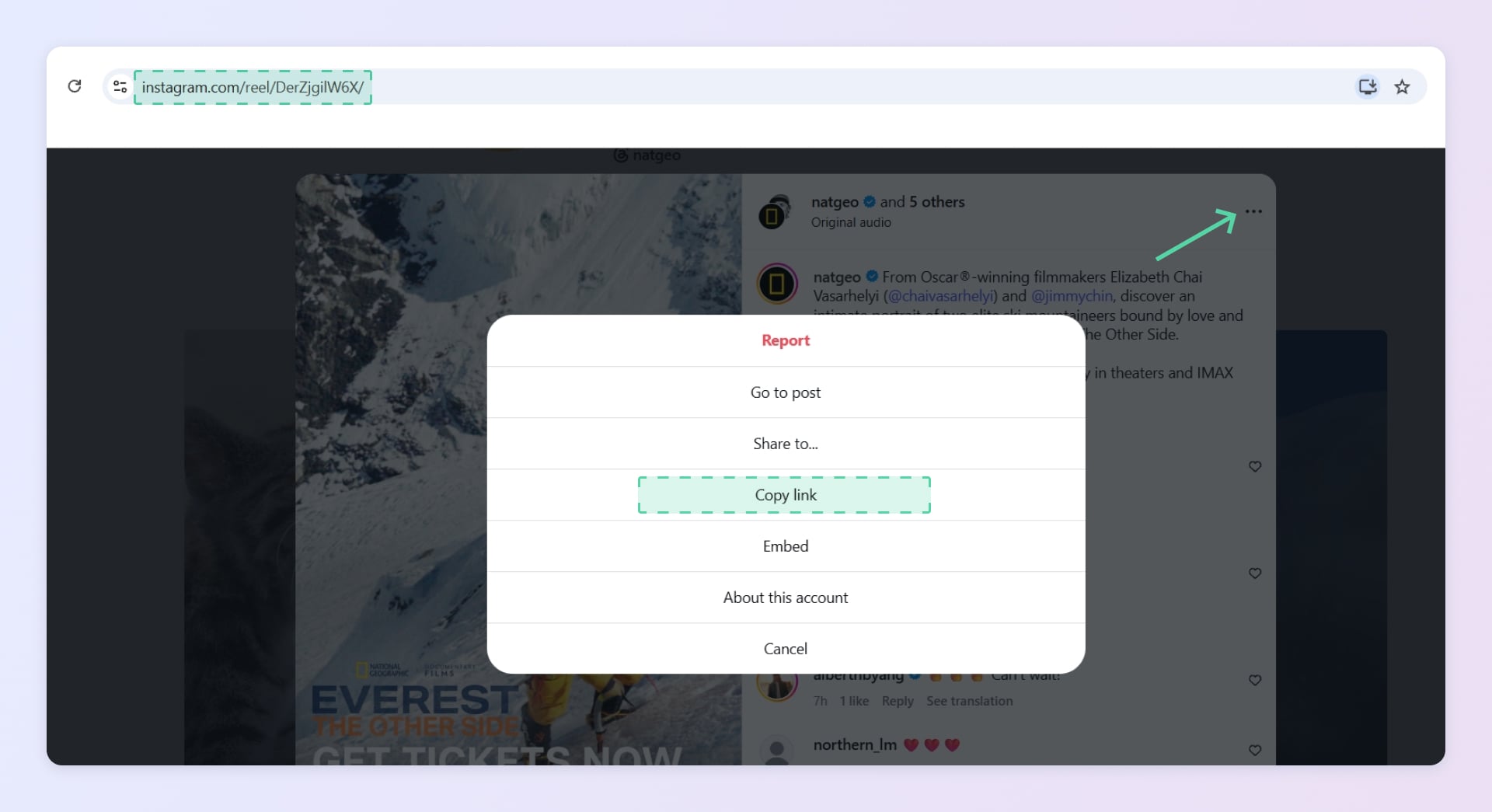
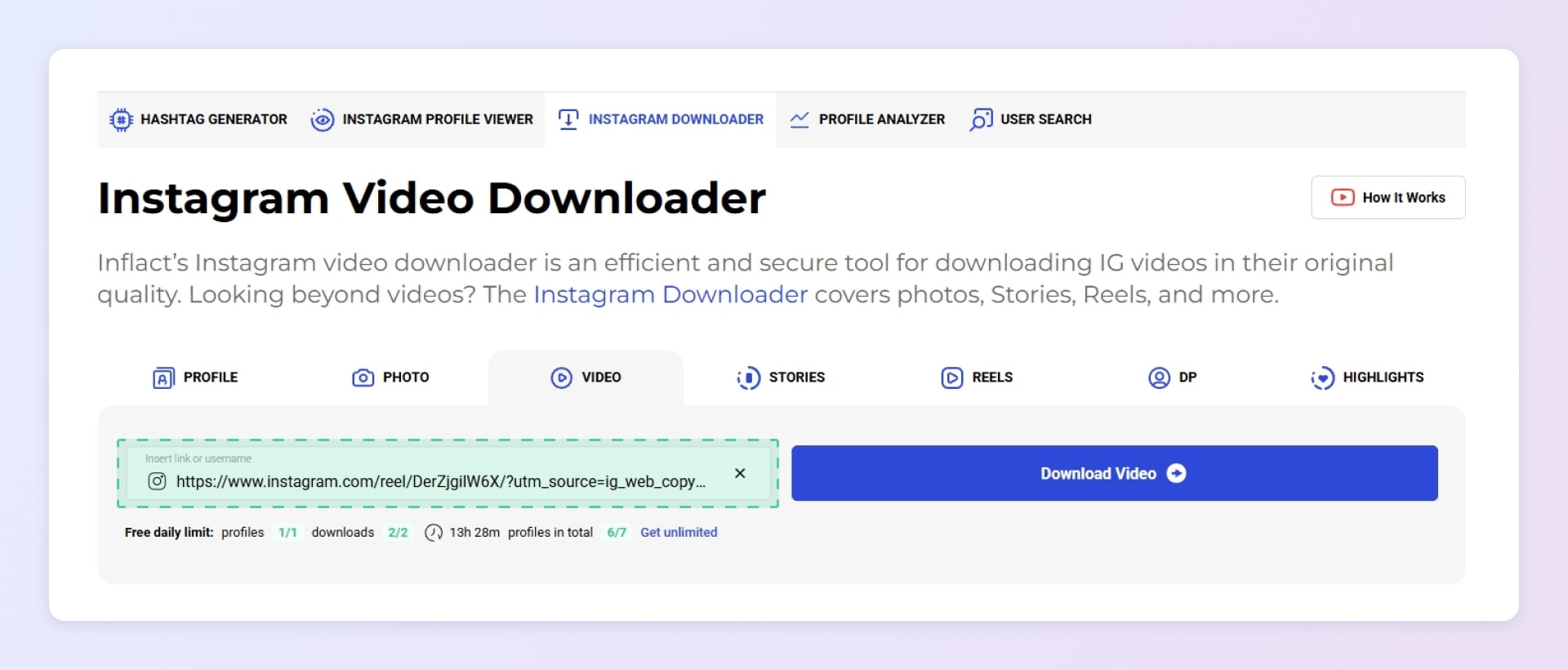
Step 2: Paste the link into the downloader field
Go to the Instagram Video Downloader page and paste the copied link into the input field. The system instantly fetches the original media file.
Nothing needs to be installed: everything happens through a normal web page. You don't grant access to your Instagram account, and there's no risk of an extension breaking after an Instagram update.
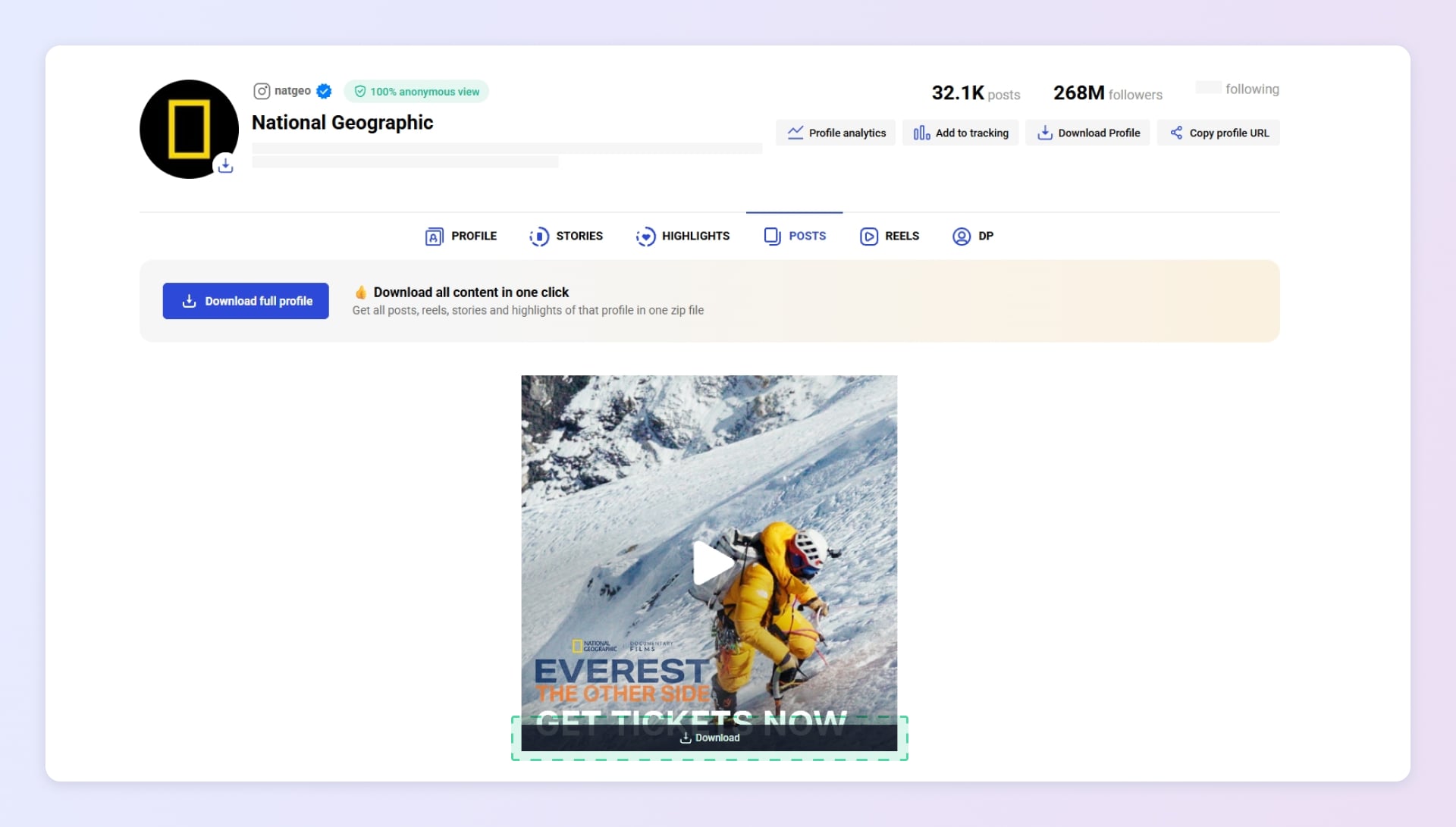
Step 3. Save the file to your device
Press the download button. The file appears in your Downloads folder or in the Photos app. Done- the video is on your device in just a few seconds.
Where the file goes depending on your device:
|
Device |
Where to find the video |
|
Desktop computer |
Your browser's default Downloads folder |
|
Android |
Downloads or Gallery |
|
iPhone |
Files app or Photos |
The exact location depends on your browser and system settings.
What formats you can save
The downloader saves media exactly as Instagram delivers it on the public web: no re-encoding, no overlays.
- Feed videos & carousels - standard video posts and multi-item carousels that contain video. Saved as MP4 in the highest available resolution.
- Reels - vertical short-form videos. Downloaded as clean MP4 files without watermarks.
- Longer clips - when a public post contains longer-form video, you get the full available version in original quality.
Bulk downloading: how to organize an archive
Saving a single file is easy. Keeping hundreds of videos organized is not. That's where Inflact Cloud comes in- it turns one-off downloads into a searchable personal library.
- Everything is kept in one secure place instead of scattered Downloads folders.
- Filter by Posts, Reels, date, or account.
- Pull an entire public profile or only the items you select in one click.
- New posts from tracked accounts appear automatically (if your plan includes the Tracker feature).
Who this tool is for
- Creators - save top-performing videos offline for later study.
- Marketers - download competitors' public videos to review hooks offline or share with your team. To stay on top of what a creator publishes and spot their best-performing posts, use the Tracker- here's a tutorial on how to set it up.
- Personal archives - save favorite videos before they're gone and watch them later.
- Teams - save selected content to Inflact Cloud for shared, organized access.
Inflact's Video Downloader is more than a one-click save button. It gives creators, marketers, and teams a clean way to capture public Instagram videos and Reels in original quality - without watermarks, logins, or extra software. Combined with Inflact Cloud, it turns scattered downloads into an organized, searchable library for study and planning.
Ready to save your first video? Open Video Downloader, paste any public Instagram link, and download it in seconds. If you encounter any issues, contact our support team via chat or email at hello@inflact.com.
Related Articles



Significant benefits