How to properly utilize User Search and enhance your audience targeting efficiency

Finding the right audience on Instagram is the foundation of any marketing campaign. But scrolling through the app’s basic search is slow and inefficient. At Inflact, we’ve analyzed what makes user discovery effective. In this guide, you’ll learn proper filter setup, search strategies, and how to export and store your results for future outreach.
Why Instagram’s native search is not enough
Instagram’s built-in search has serious limitations:
- You can only search by username or hashtag.
- No filtering by follower count, post count, gender, or location.
- No way to search by keywords in bio.
- You cannot export results or save lists of users.
- Results are limited and heavily influenced by Instagram’s algorithm.
What makes Inflact User Search different
Inflact’s tool gives you access to public Instagram data with filters you won’t find elsewhere. You can search without logging into your Instagram account, and the tool is completely safe because it never asks for your password.
Key capabilities:
|
Feature |
What it does |
|
Keyword or username |
Search by handle, full name, email, phone, or bio words |
|
Follower range |
Set minimum and maximum followers (e.g., 5k – 100k) |
|
Post range |
Filter by number of posts published |
|
Gender |
Male, female, or other |
|
Location |
Country, region, and city |
|
Category |
Niche like beauty, travel, fitness, food, etc. |
|
Lists |
Save found profiles into custom lists |
|
Export |
Download results as CSV or Excel (premium feature) |
Important: The tool only searches public profiles. Private accounts are never accessible, which is how Instagram’s privacy rules work.
How to use Inflact User Search step by step
Step 1: Access the tool
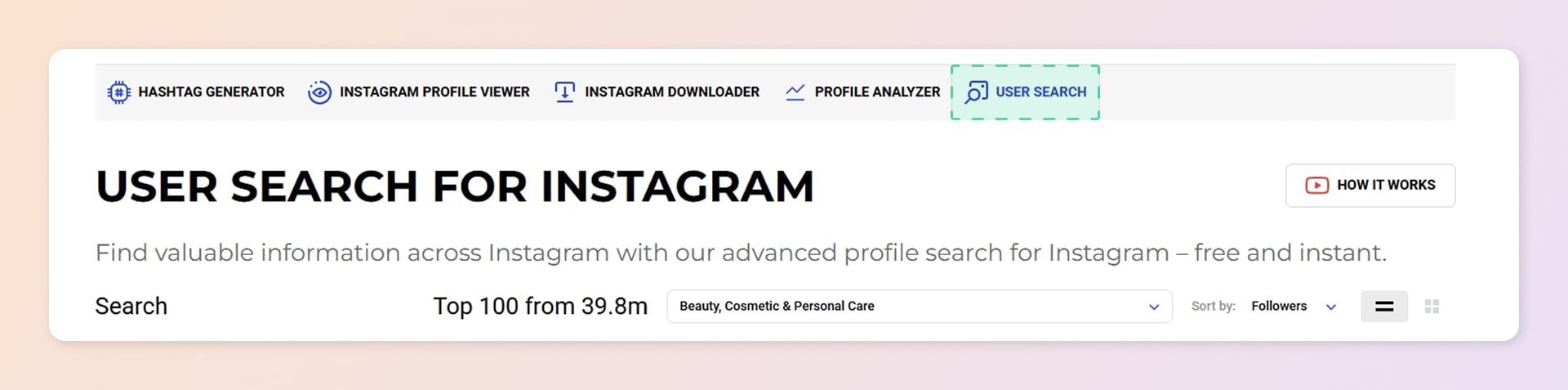
Go to Inflact User Search. You can use the free version without signing up, but creating a free account increases your search limits.
Step 2: Enter your search query
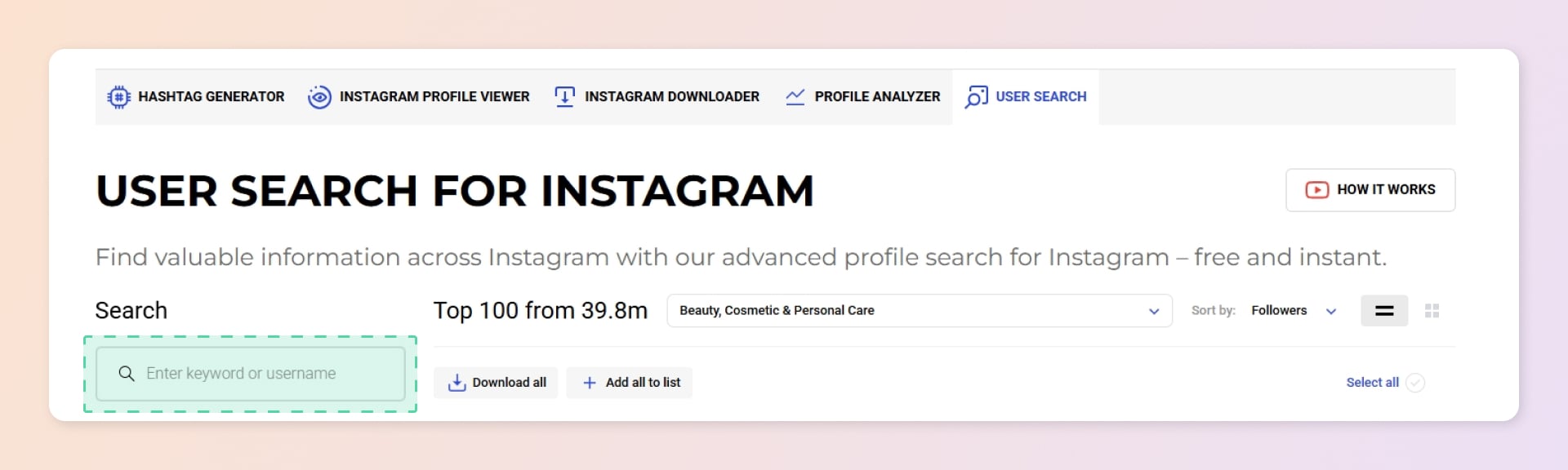
In the main search field, type either:
- A keyword (e.g., “yoga instructor”, “vegan recipes”)
- An Instagram username (to find similar accounts)
The tool will scan public profiles based on your input.
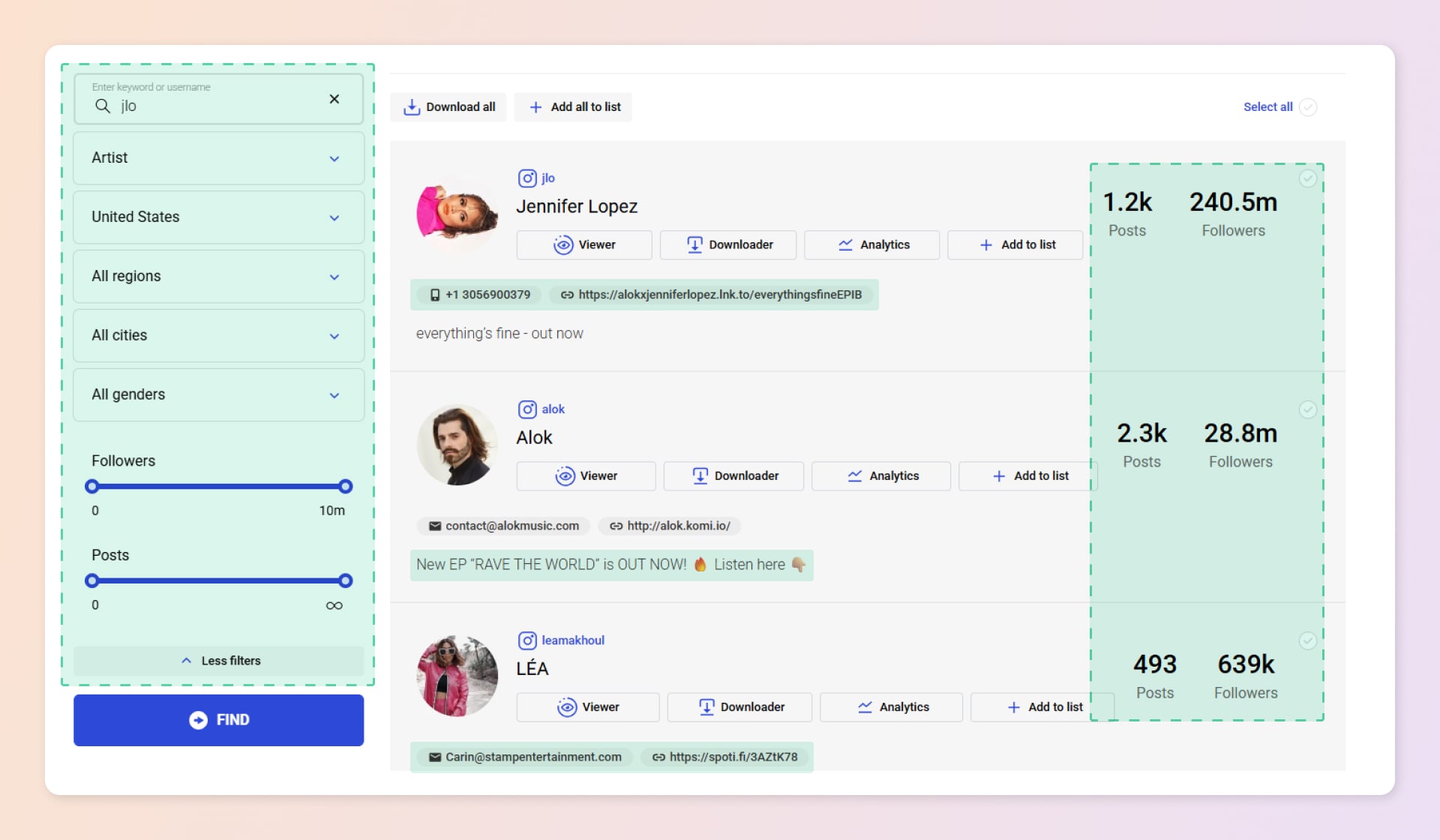
Step 3: Apply filters (the most important step)
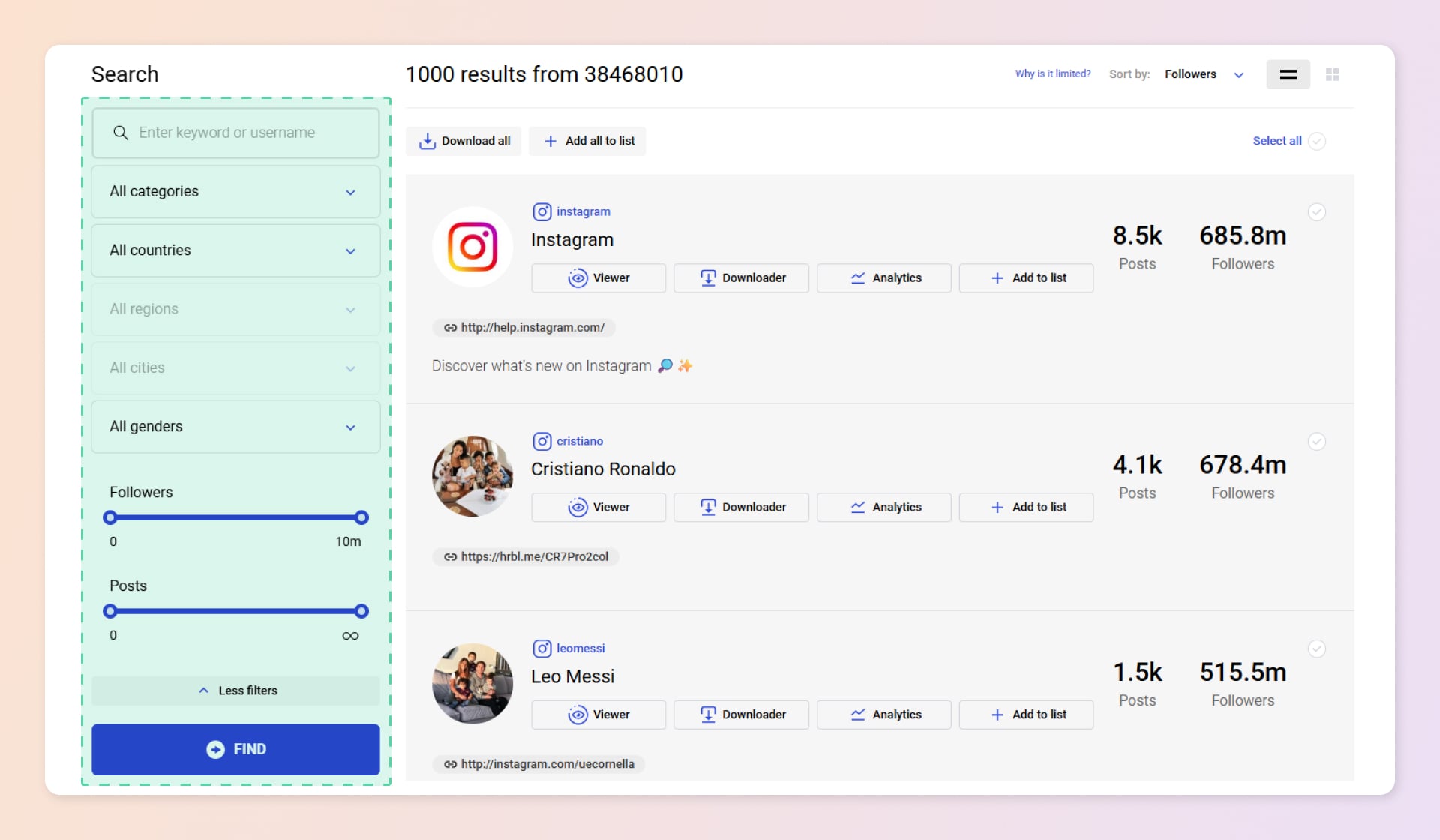
Click on any filter to narrow down your results. For the best targeting, use a combination of these:
Recommended filters to use:
- Follower range - great for finding micro-influencers (5k–50k followers) or medium creators (50k–200k).
- Category - essential for niche targeting. Examples: Beauty, Fitness, Travel
- Location - perfect for local businesses. You can specify country, region, and even city.
- Bio keywords - find users who mention specific words in their profile description.
Avoid when possible:
- Setting too many filters at once- you might get zero results. Start with 2-3 filters.
- Using overly generic keywords like “love” or “life” - the tool will return millions of profiles, making it hard to find relevant ones.
Step 4: Review the results
The tool displays profiles in a table with:
- Username
- Number of posts
- Follower count
- Bio text
You can sort results by follower count (highest to lowest or vice versa).
Step 5: Save profiles to a List
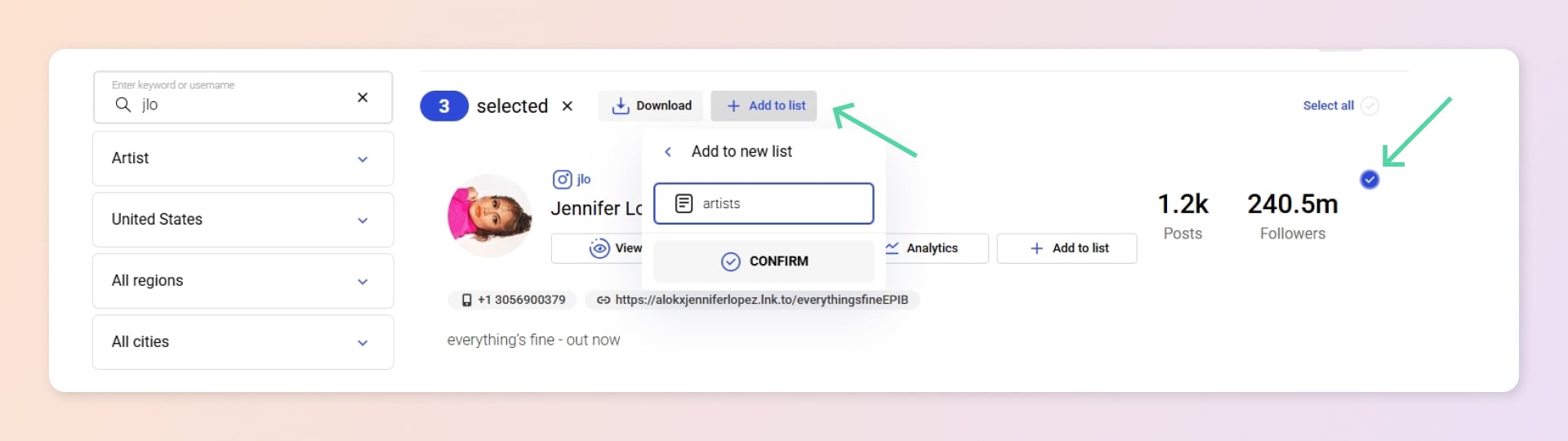
If you see accounts you want to contact later, add them to a List:
- Click the checkbox next to each profile.
- Click the “Add to list” button.
- Choose an existing list or create a new one (e.g., artists).
Lists are stored in your Inflact account and can be accessed anytime.
Step 6: Export your data (premium feature)
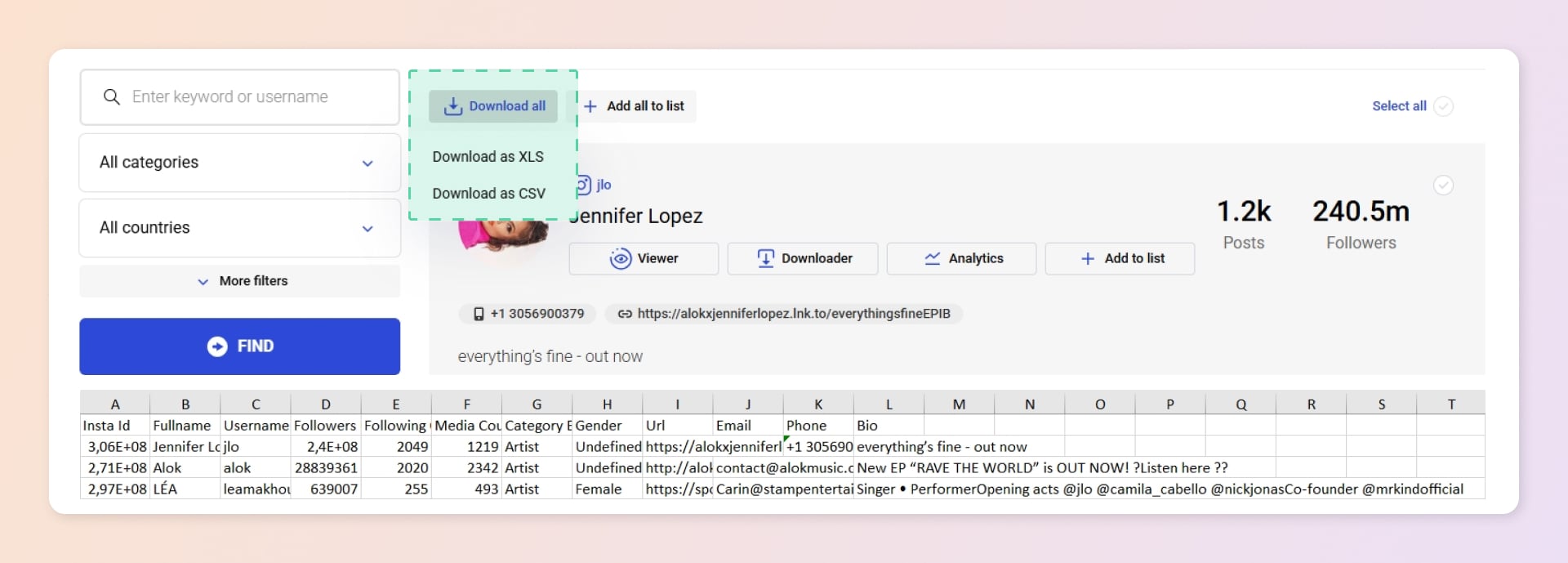
Free users see a limited number of results (e.g., 10 profiles). To see all matches (sometimes over 100k), you need a premium subscription. Premium users can:
- Download all profiles as CSV or Excel.
- Export includes username, follower count, post count, and bio.
Pro Tips from Inflact Support
- Start broad, then narrow. Begin with just category + location. If you get too many results, add a follower range.
- Use bio keywords for intent. Someone with “#ad” or “collab” in their bio is likely open to partnerships.
- Don’t search for private profiles. The tool physically cannot find them – and any service claiming to do so is violating Instagram’s terms.
Quick checklist before you start your search
| Check | Item |
|---|---|
| ✅ | You know your target audience's category (e.g., beauty, travel, fitness) |
| ✅ | You have a location in mind (country or city) |
| ✅ | You defined a follower range (e.g., 1,000 – 50,000) |
| ❌ | Don't use too many filters at once |
| ✅ | You plan to save promising profiles to a List |
Inflact's User Search is a powerful tool for finding targeted Instagram users that goes far beyond Instagram's native search capabilities. It enables marketers, businesses, and content creators to discover relevant profiles using advanced filters and save results for future outreach.
Ready to master the tool? Watch our step-by-step YouTube guide or get personalized help from our support team via chat or email at hello@inflact.com.
-
Why Instagram’s native search is not enough
-
What makes Inflact User Search different
-
Key capabilities:
-
How to use Inflact User Search step by step
-
Step 1: Access the tool
-
Step 2: Enter your search query
-
Step 3: Apply filters (the most important step)
-
Step 4: Review the results
-
Step 5: Save profiles to a List
-
Step 6: Export your data (premium feature)
-
Pro Tips from Inflact Support
-
Quick checklist before you start your search
Related Articles




Significant benefits